Running Try Before You Buy
This page explains the day-to-day operation after you start accepting Try Before You Buy orders.
How do I read a trial order and what do the statuses mean?
You can see everything in Order management in Recustomer.
Trial orders are managed in one place, in Recustomer's Order management. The Trial status column in the list shows which stage each order is at.
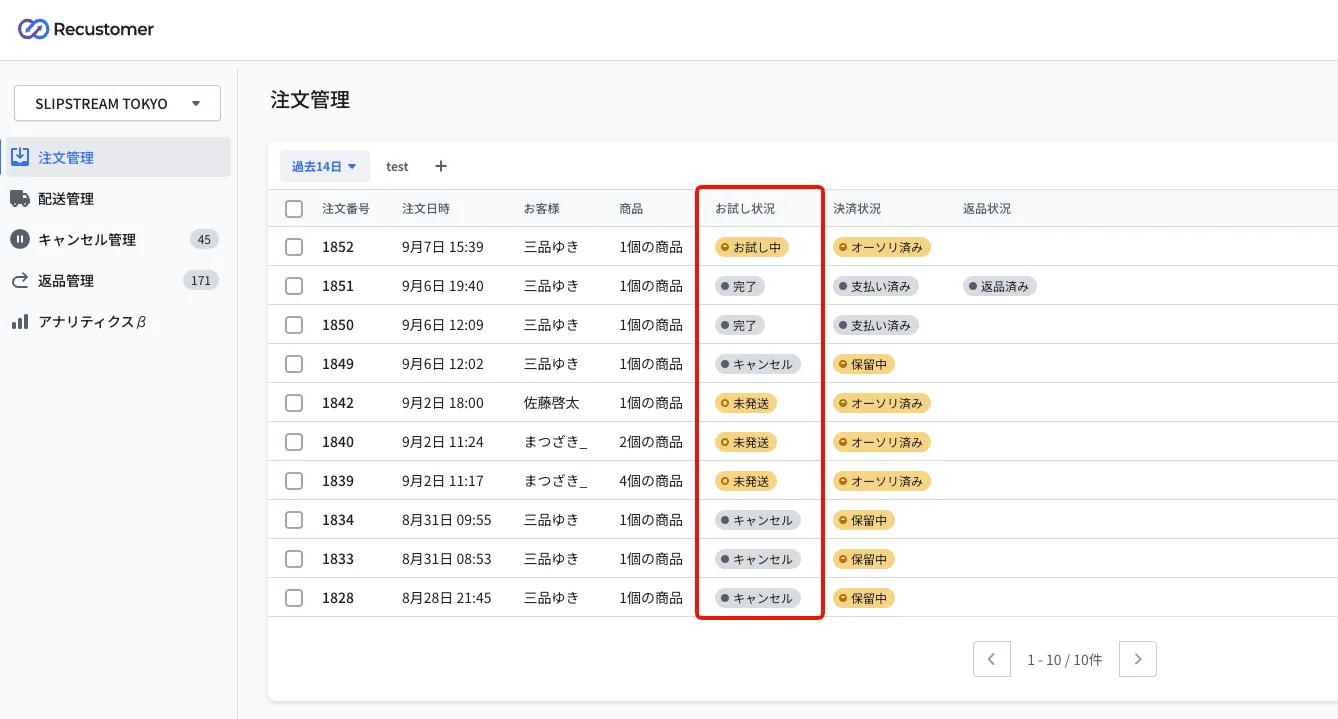
| Trial status | Shopify payment status | Meaning |
|---|---|---|
| Not authorized | Payment pending | The authorization (the hold on the available credit) has not been obtained yet |
| Unfulfilled | Authorized | The authorization is done and the items have not shipped yet |
| In trial | Authorized | The shopper is trying the items. Returns can be requested and payment can be confirmed during the trial period |
| Completed | Paid | The capture (payment confirmation) is done |
| Cancelled | Payment pending / Voided / Refunded | The order has been cancelled |
Clicking an order opens the detail screen, where you can check and do the following.
The Capture payment button: confirms payment without waiting for the trial period to end (see Can I confirm payment before the trial period ends?)
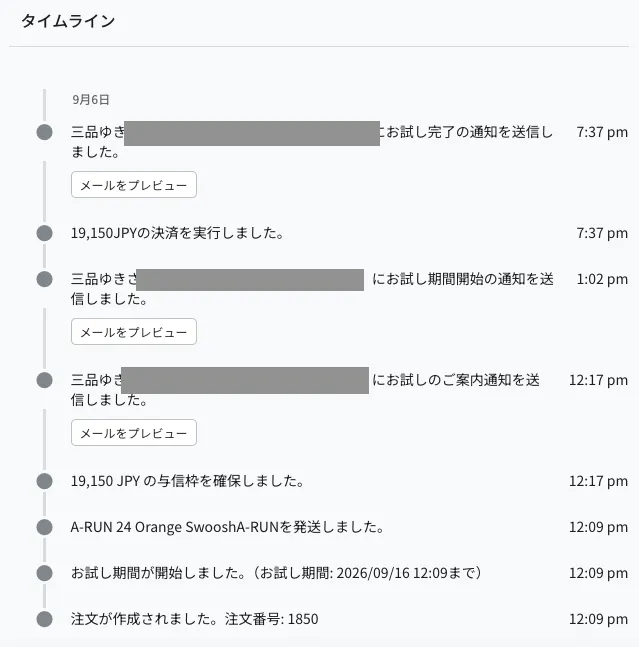
The timeline: shows when the trial period started and ended, when credit was held and payment was taken, and the history of the trial notification emails, in chronological order
What is the flow of a trial order up to the confirmed purchase?
If nothing is returned, you do not need to do anything: payment is taken automatically after the trial period ends. Here is the flow when something is returned, when nothing is returned, and when the order is cancelled.
If nothing was returned
Nothing to do in the admin dashboard.
When the trial period ends, the authorization that is being held is captured (payment confirmed) automatically and the trial status becomes "Completed".
The timing of the payment is decided by the capture settings in Trial policy settings.
If something was returned
If the return request was created as "Not approved", open it and set it to "Approved" from Process the approval (not needed if you approve automatically)
When the items arrive back, set them to Received from Process the return
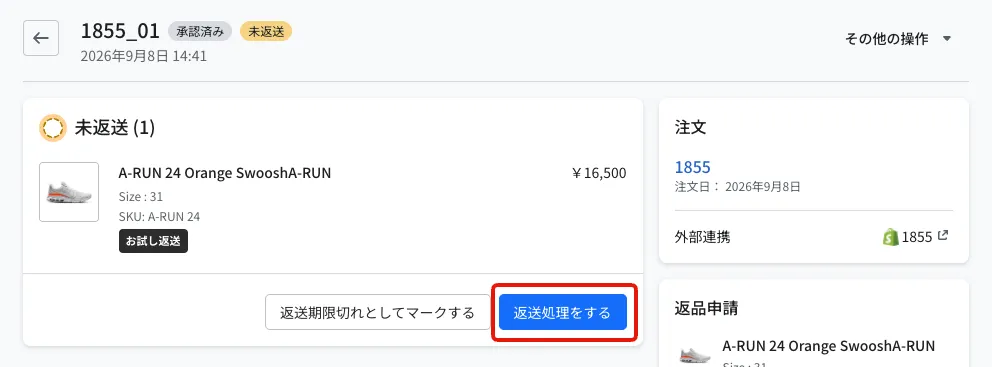
When the trial period ends, payment is taken automatically for the amount less the items you marked as received
If there was an exchange
If the return request was created as "Not approved", set it to "Approved" from Process the approval
When the items arrive back, set them to Received from Process the return
Mark the exchange items as fulfilled on the Shopify side
Open the return request in Recustomer and set it to "Exchanged" from Mark as exchanged. The shopper is notified that the exchange items have shipped
When the trial period ends, payment is taken for the amount of the original trial order. With an exchange, the amount of the returned items is not deducted: payment is confirmed as if the shopper had bought the exchanged items
※The exchanged items can also be submitted as a regular return, as long as it is within the return window
If the order was cancelled
Orders cancelled before shipping get the trial status "Cancelled".
Orders whose first authorization fails are cancelled automatically (see What happens to a trial order if there is a problem with the card?).
When is payment confirmed for an order with a return or exchange request?
After the trial period ends and no items are still waiting to be returned.
If an order has a Trial return or Trial exchange request and the items are still "Not returned", the payment stays on hold even after the trial period (including the days in the capture settings) ends. Once you mark the returned items as received, the payment is confirmed by the next automatic run. However, if a re-authorization fails during the trial period, the payment is confirmed at that point even if some items are still "Not returned" (see What should I do when an order whose payment was confirmed after a re-authorization failure has a return?).
| Situation | When payment is confirmed | Amount confirmed |
|---|---|---|
| No return or exchange | After the number of days in the capture settings has passed since the trial period ended | The order amount |
| Trial return | Once the number of days in the capture settings has passed since the trial period ended and all returned items are marked as received | The amount less the items marked as received |
| Trial exchange | Once the number of days in the capture settings has passed since the trial period ended and all returned items are marked as received | The original order amount (the returned items are not deducted) |
Even if you mark items as received before the trial period ends, the payment is confirmed only after the trial period ends.
Payment is not confirmed while items remain Not returned
If the shopper does not send the items back, open the return request and run Mark as past the return deadline. Those items go back into the payment, and the payment is confirmed automatically (see What happens to the payment if I reject an item or mark it as past the return deadline?).
What does re-authorization failed mean?
It means the re-authorization (obtaining a new credit hold) that Recustomer performs during the trial period did not succeed on the shopper's card.
Authorizations (credit holds) expire, so Recustomer automatically obtains a new hold for orders where 5 days have passed since the last successful authorization (for the terminology, see 1. What is Try Before You Buy?). "Re-authorization failed" is when a new hold could not be obtained — because the card is over its limit, has expired, or has been suspended.
When re-authorization fails, to avoid losing the payment, Recustomer captures the payment using the hold it already has before that hold expires. The charge is confirmed even in the middle of the trial period, and the trial status becomes "Completed". If items are returned after payment has been confirmed, refund them on the Shopify side.
The result of the re-authorization is sent to the shopper by email. You can edit the wording in Notification emails.
| Notification email | When it is sent |
|---|---|
| Re-authorization succeeded | When the re-authorization succeeds |
| Re-authorization failed | When the re-authorization fails and payment is confirmed at that point |
What happens to a trial order if there is a problem with the card?
Depending on when it fails, the order is either cancelled automatically or the payment is confirmed.
If the authorization (the credit hold) fails because the card is over its limit, has expired, and so on, the behaviour depends on when the failure happens (for the terminology, see 1. What is Try Before You Buy?).
If it fails at the time of the order
The order is cancelled automatically.
The card authorization runs after the order is imported. If it fails because the card is over its limit, has expired, and so on, the order is cancelled automatically.
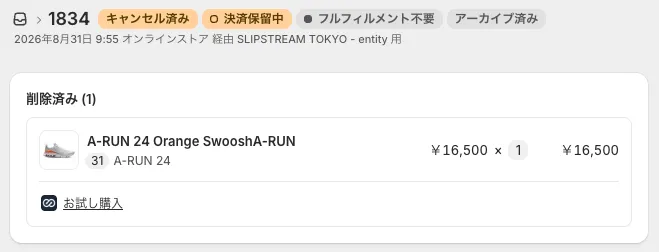
- When an order is cancelled, Shopify sends the shopper an order cancellation email (Recustomer does not send the shopper an email explaining the reason)
- If you configured both a main and a sub integration in Cancellation settings, the cancellation runs against the order in your OMS as well as the one in Shopify
If it fails between the order and the end of the trial
Payment is confirmed at that point, even in the middle of the trial period.
During the trial period, re-authorization (obtaining a new credit hold) runs regularly so that the hold does not expire. If a re-authorization fails, to avoid losing the payment, the capture is made using the hold obtained previously (see What does re-authorization failed mean?). The shopper receives the "re-authorization failed" email.
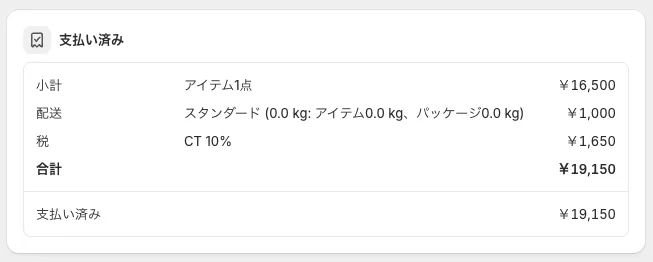
※If items are returned after payment has been confirmed, you need to refund them manually on the Shopify side (see What should I do when an order whose payment was confirmed after a re-authorization failure has a return?)
Things to be careful about while running Try Before You Buy
Do not take payments, issue refunds, create returns, or edit orders in the Shopify admin until the trial status is "Completed".
Here is what you must not do when using Try Before You Buy with the Shopify integration.
Note for day-to-day operation
From the moment a trial order is created until its trial status is "Completed", do not perform any operation in the Shopify admin that affects the amount charged.
If you do (creating a return, issuing a refund, editing items, and so on), Recustomer's automated processing — obtaining authorizations, syncing returns, and judging the trial deadline — does not work correctly, which causes errors and double processing.
There are four such operations. Returns, refunds, and payments for trial orders should all be handled from the Recustomer admin dashboard.
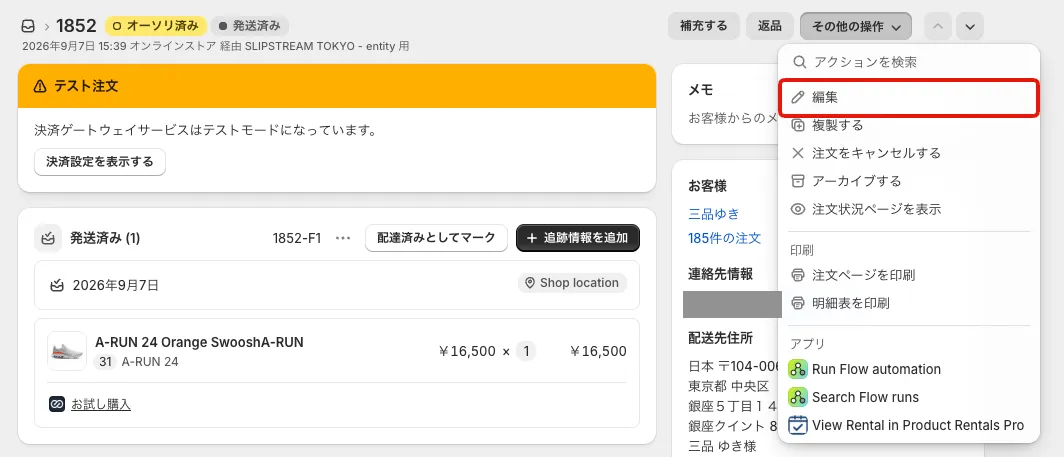
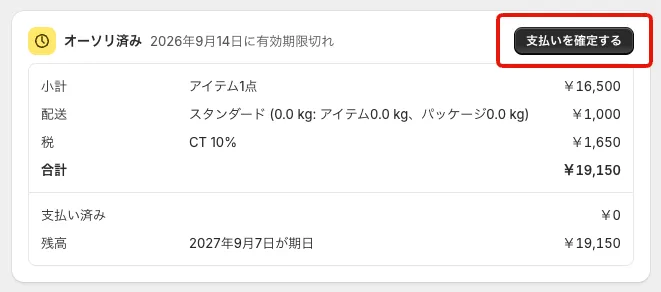
Taking payment: capturing the payment from the Shopify order detail screen (outlined in red)
Issuing a refund: refunding from the Shopify order detail screen (outlined in red)
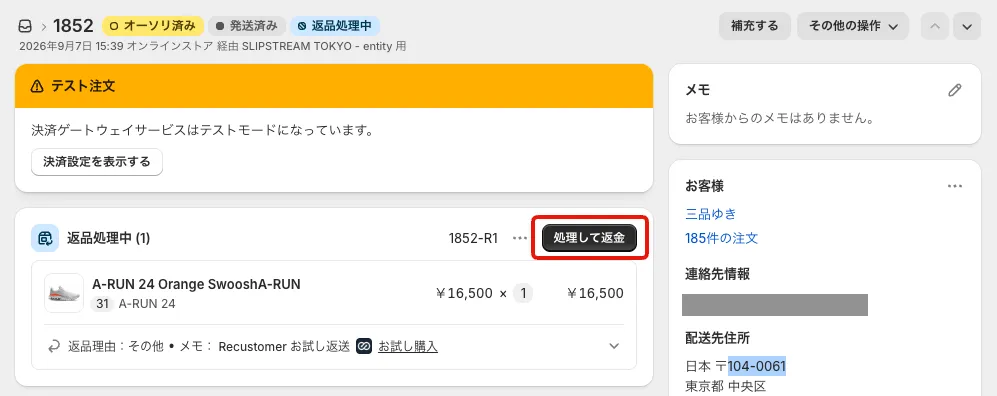
Creating a return: creating a return from the Shopify order detail screen (outlined in red)
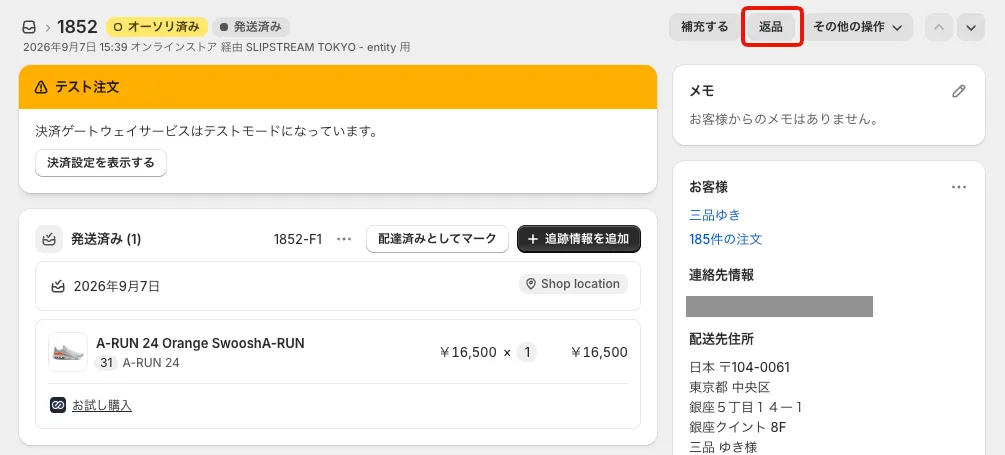
Removing or adding items on an order: editing the order in Shopify to remove or add items. This includes items added by external apps and trial items being removed