STEP 2 extra
Add an order tag to trial orders
If you want Shopify to automatically add the order tag "お試し購入" (Try Before You Buy) to trial orders, set it up with Shopify Flow.
Creating the Flow (importing the file)
Instead of building this Flow by hand, you can create it by importing a Flow file.
In the Shopify Flow workflow list, choose Import and load the
.flowfile you downloadedClick the edit button on the imported Flow
Open the Condition and replace the Selling Plan ID with your own ID
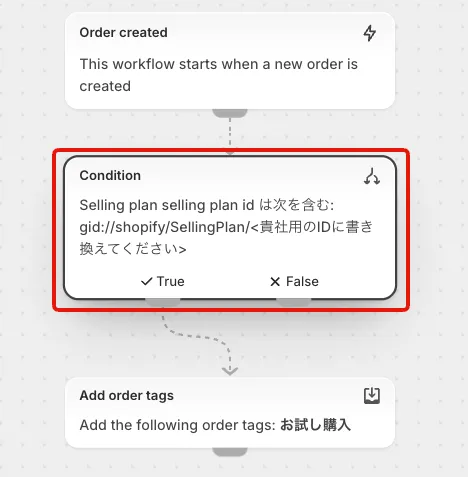
※If you do not know your Selling Plan ID, contact your account manager
© Recustomer, Inc.