STEP 2-3
Data integration settings
Once each integration is set up, configure the data integration settings last.
Go to Settings > External service integrations > Data integration settings
In Order Importer, select "select your integration"
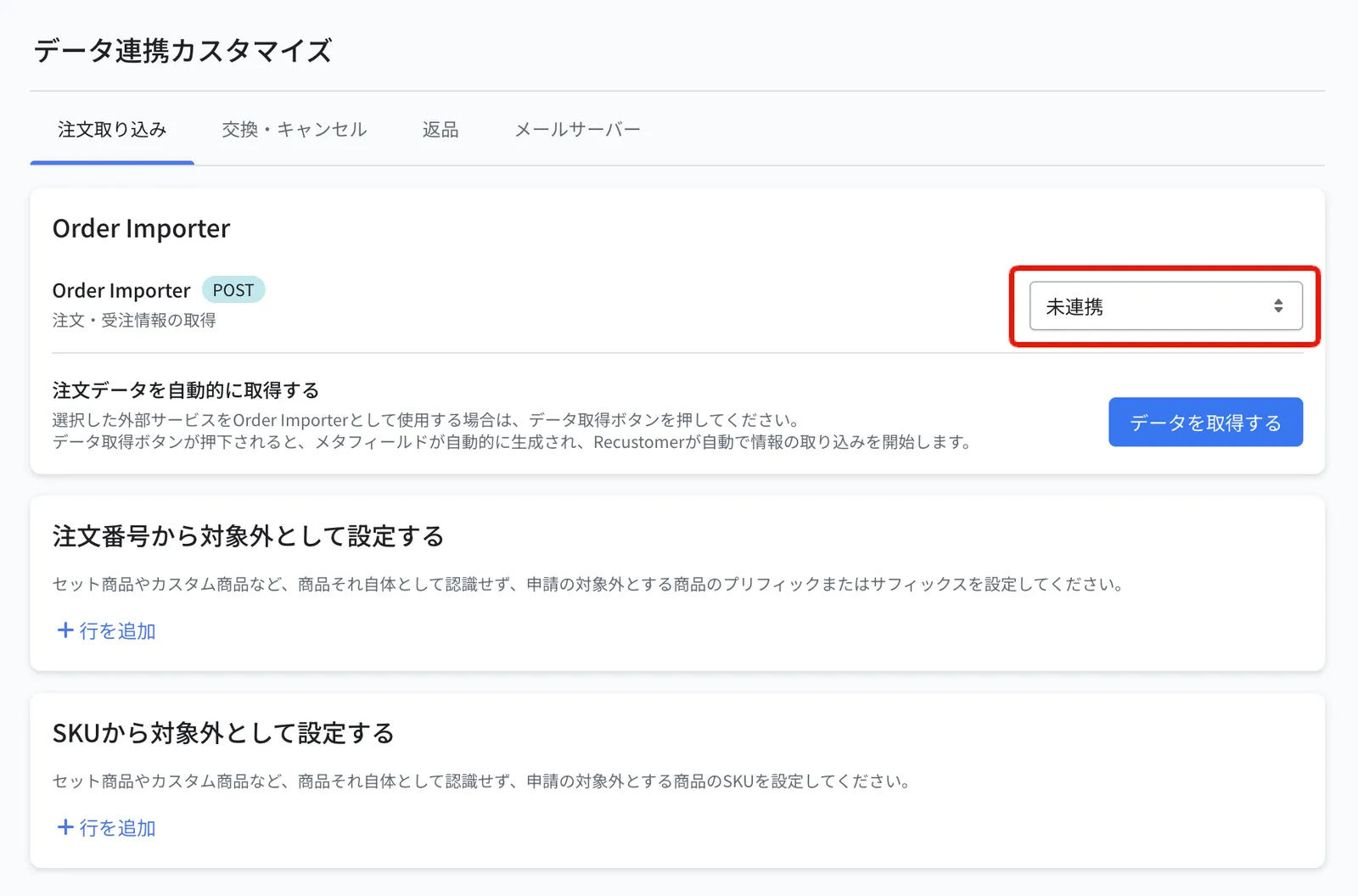
Click Save at the top right
Click Fetch data
On the Exchange / Cancellation tab, set the cancellation main to "select your integration" and the cancellation sub to "select your integration"
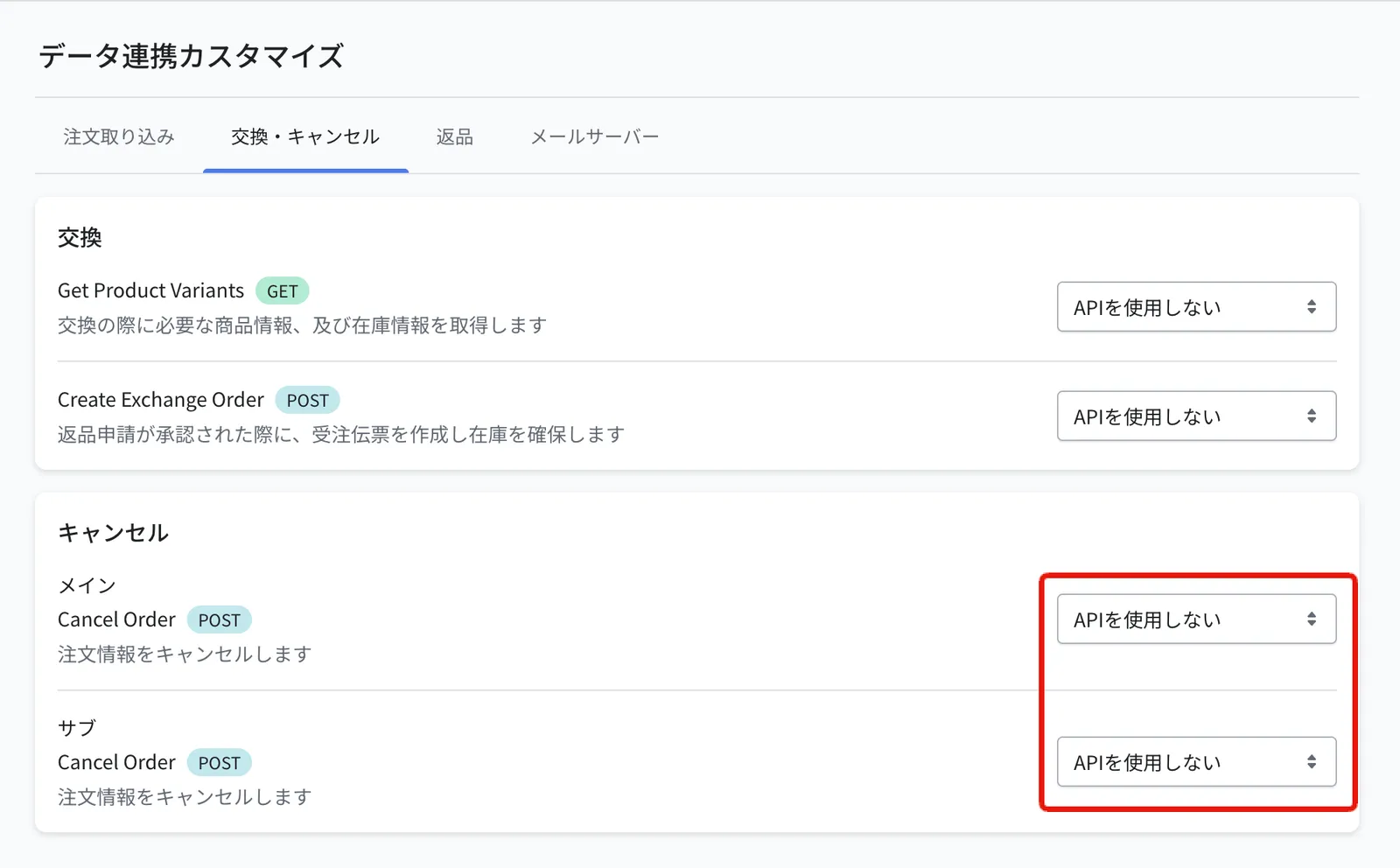
Click Save at the top right
© Recustomer, Inc.