Rakuten external link application
To accept cancellations for Rakuten orders in Recustomer, you need to submit an external link application in Rakuten (RMS). The application usually takes about a week to be approved.
1. Check before applying
For an external link application to be approved, there are conditions such as having no links to destinations other than Rakuten (for example, your own online store or other marketplaces). Check the following settings before applying.
| Category | What to set |
|---|---|
| Request page | Set the order lookup authentication method to "Order number and name" |
| Request page | If the consent checkbox is enabled and has a URL attached, change the link to your Rakuten store |
| Request page | Add the notice text below to the top of the notes field at the bottom of the order lookup screen |
| Language editor | Change the "Back to store" link URL for "Cancellation request" to your Rakuten store |
| Language editor | Change the "Back to store" and "Contact button" link URLs for "Customer support" to your Rakuten store |
※If you also use Returns, change the "Back to store" link for "Return request" in the same way.
Notice text to add to the notes field
■このフォームに入力された情報は、楽天グループ株式会社ではなく、当店が管理しています。
■このフォームに入力された情報に関するお問い合わせは直接当店にお願いいたします。楽天グループ株式会社では対応できません。
■このフォームで入力された情報につきましては、当店は、返品及びキャンセル受付の目的でのみ利用します。
※This text is required in Japanese by Rakuten. If you only use Cancellation, you may remove "返品及び" (returns and) from the last line.
2. Create a test order
During the review, the reviewer walks through the shopper's cancellation flow using test order data. Create a test order in the OMS or cart system you have connected, and note down the order number and name.
3. Open the external link application page in RMS
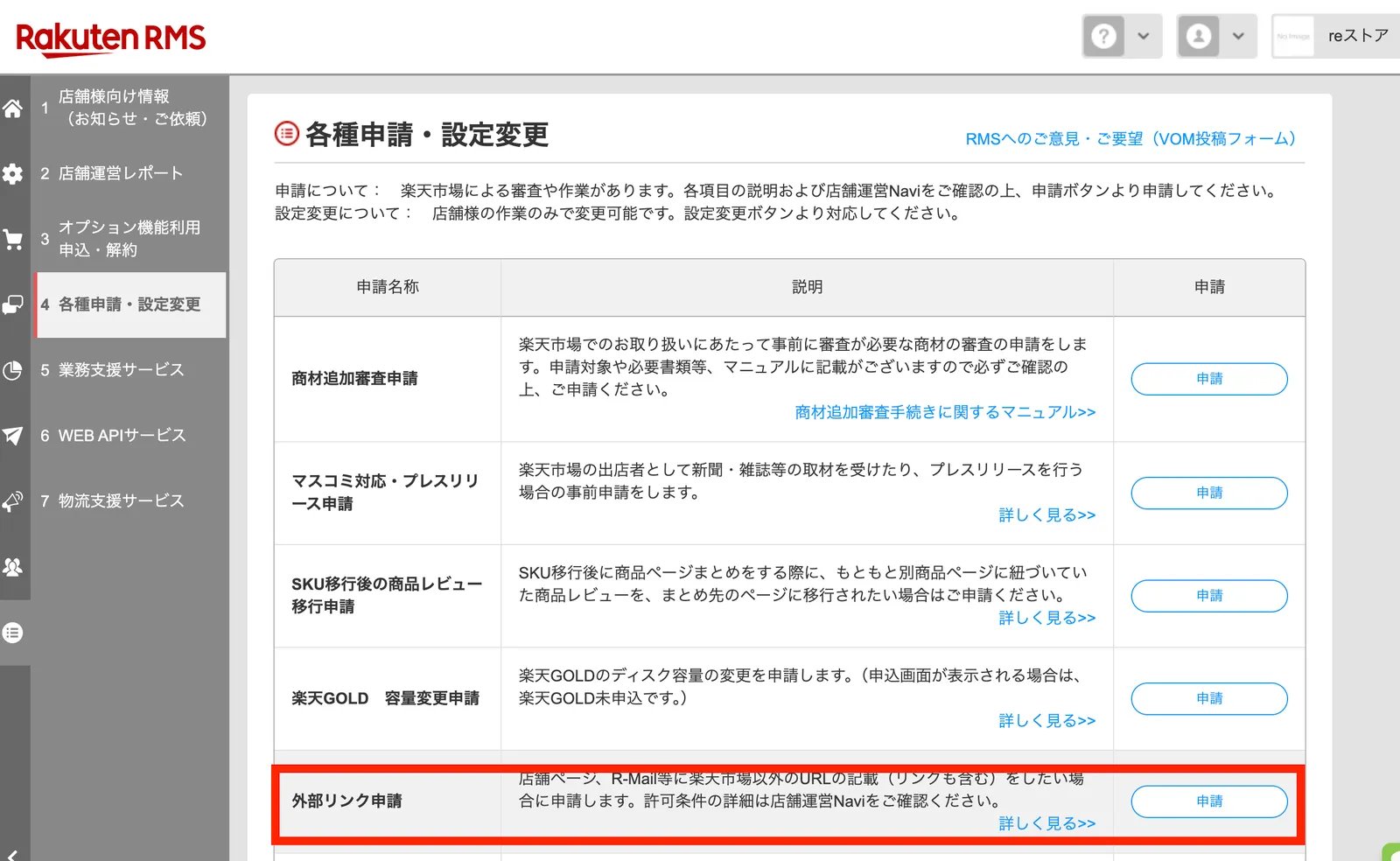
Sign in to Rakuten RMS and select External link application.
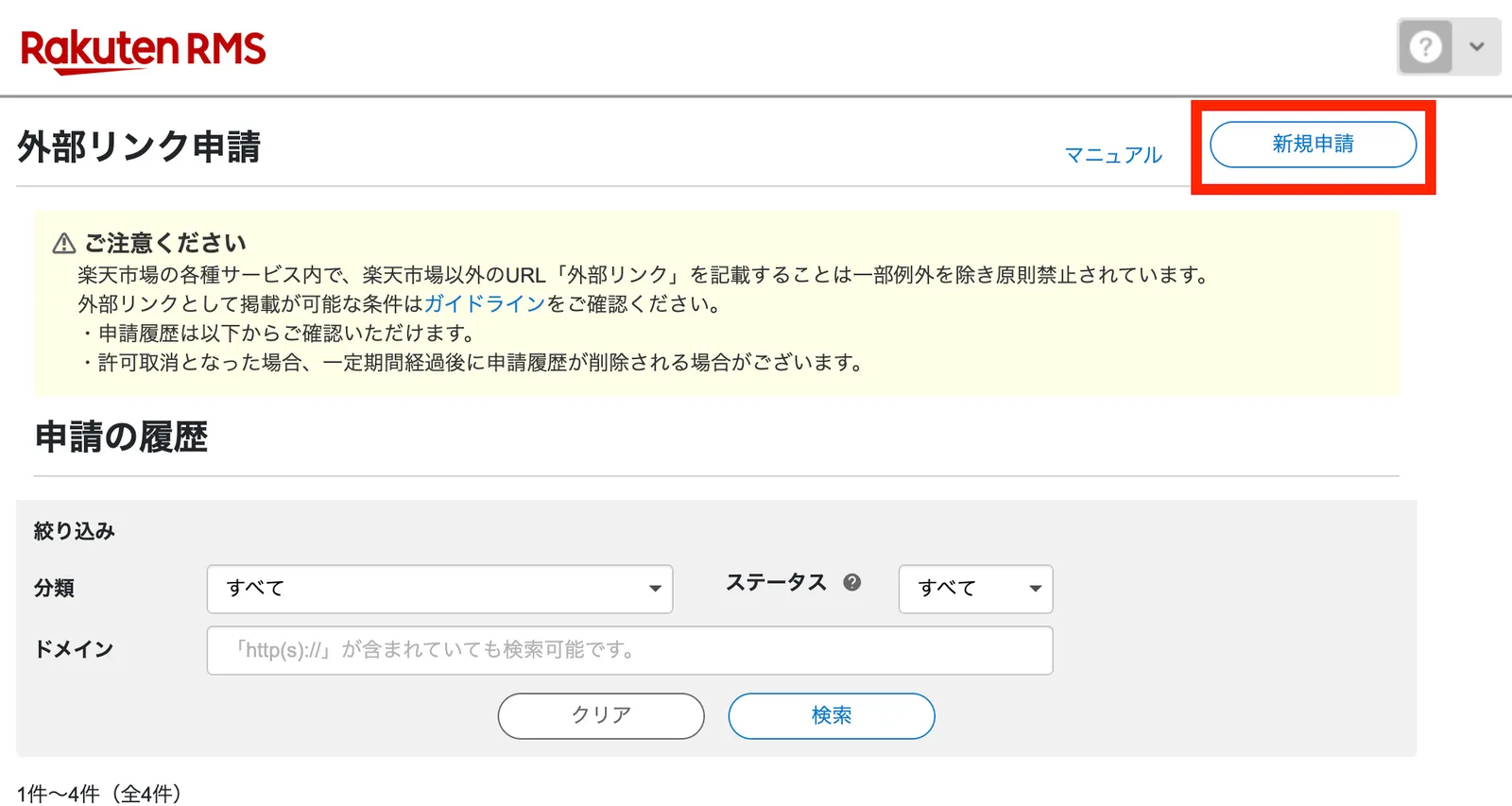
Click New application.
4. Fill in the application
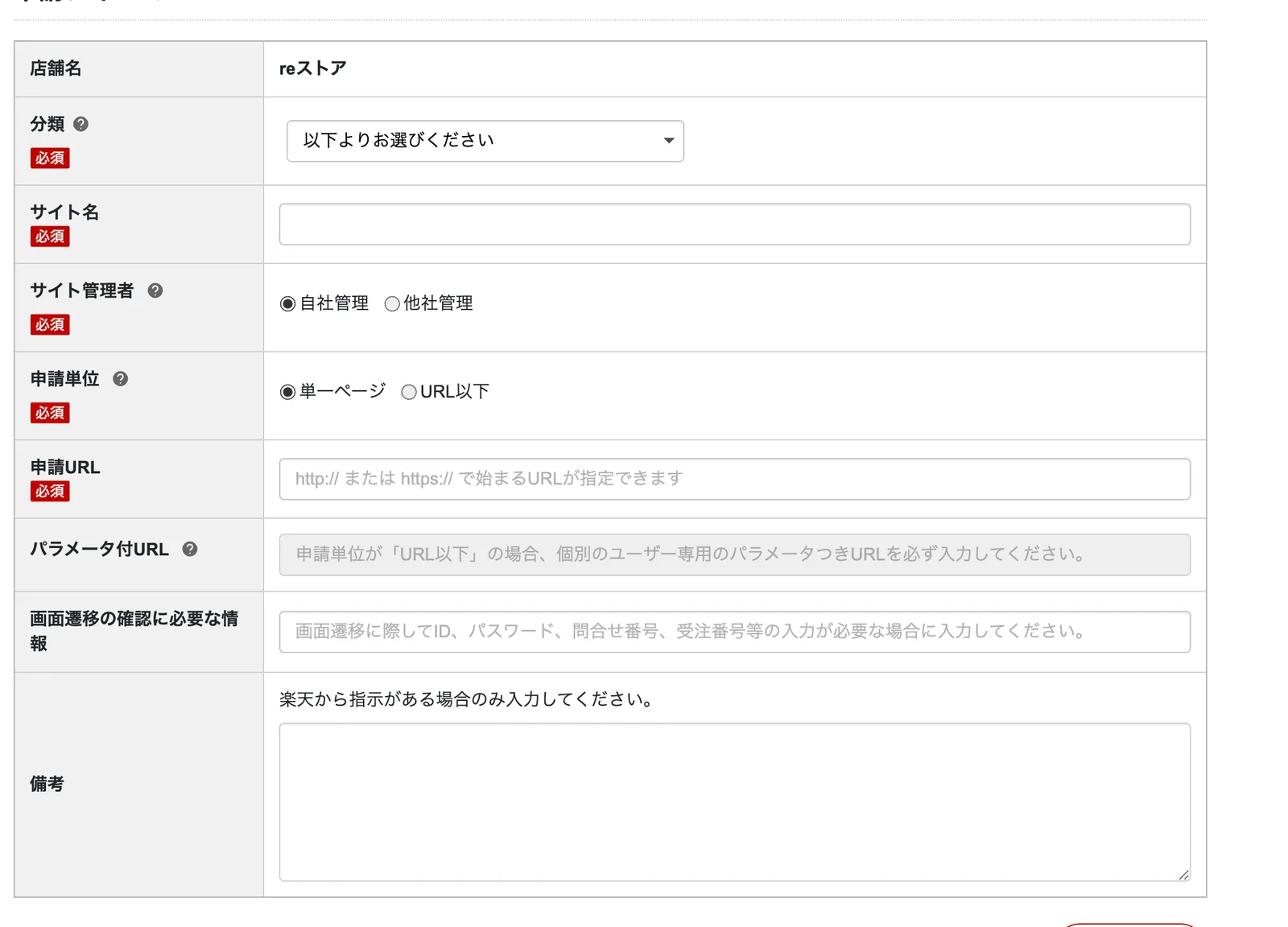
| Field | What to enter |
|---|---|
| Category | Something that exchanges information with the user after the order |
| Site name | Recustomer Returns / Cancellation (any name is fine) |
| Site administrator | Managed by another company |
| Application scope | Single page |
| Application URL | The URL of your cancellation request page |
| Information needed to verify the flow | The order number and name of the test order you created in step 2 (for example, order number: tests0010, name: Test Taro) |