SUPPORT
How do I refund to Shopify automatically?
You can set it up so that when you process a refund in the admin, the Shopify order is refunded automatically as well.
Required settings
- "Shopify" is selected in Refund method
- Synchronise the return status with Shopify is turned on in Return status synchronisation
How it works once set up
※This flow applies to stores that have been switched to creating the Shopify return (Return) when the request is approved. Stores are being switched one by one. To find out whether your store has been switched, contact your account manager
The refund amount uses the value calculated by Shopify, and you can choose whether to refund shipping (What changes when you turn it on).
- On the return details page, click Process transaction
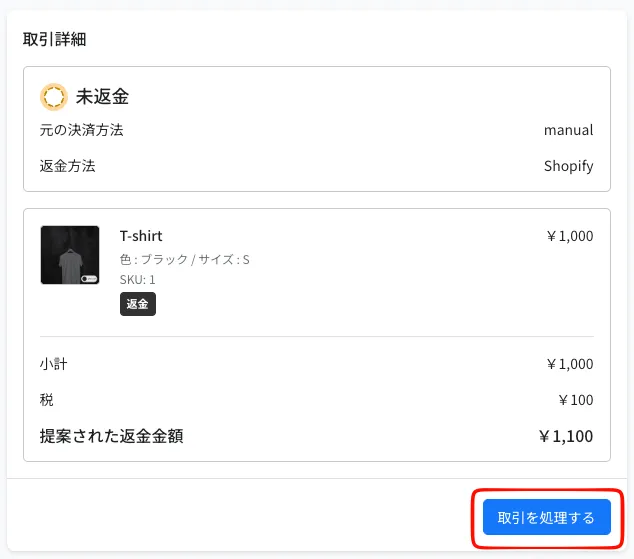
- Adjust the refund amount if needed. It is pre-filled with the amount calculated by Shopify
- To refund shipping as well, check Refund shipping
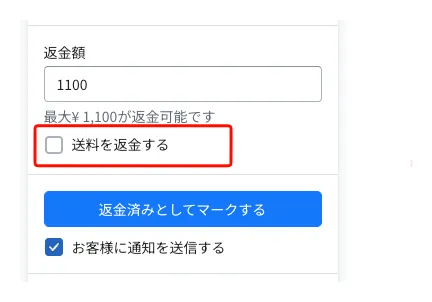
- Click Mark as refunded, then click the blue Refund button in the confirmation
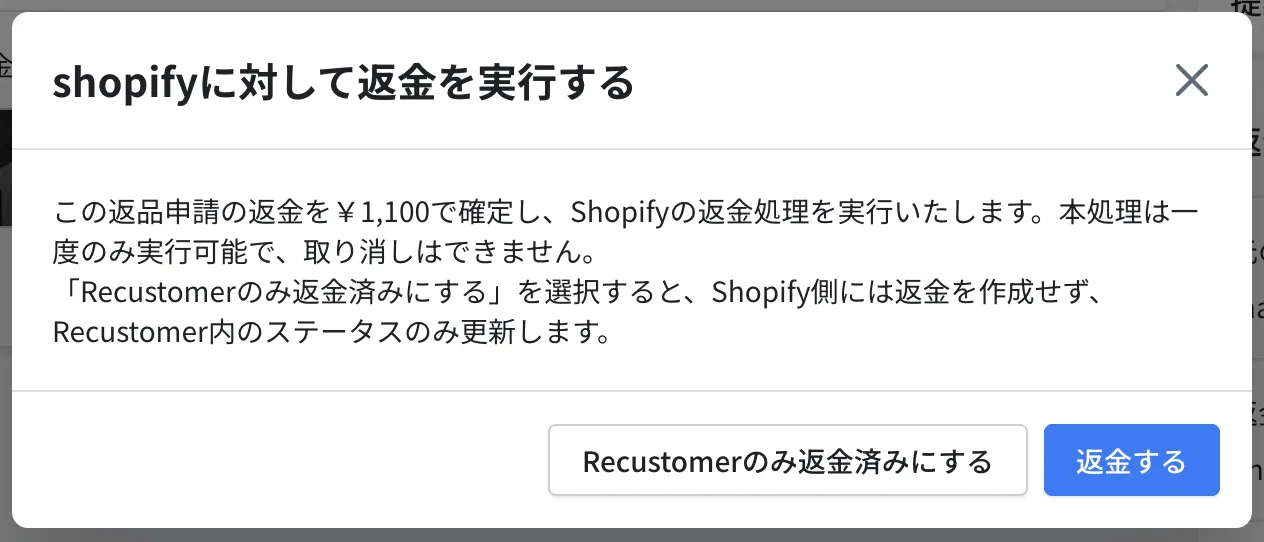
※The refund notification email to the shopper is sent only by Recustomer. Shopify does not send one
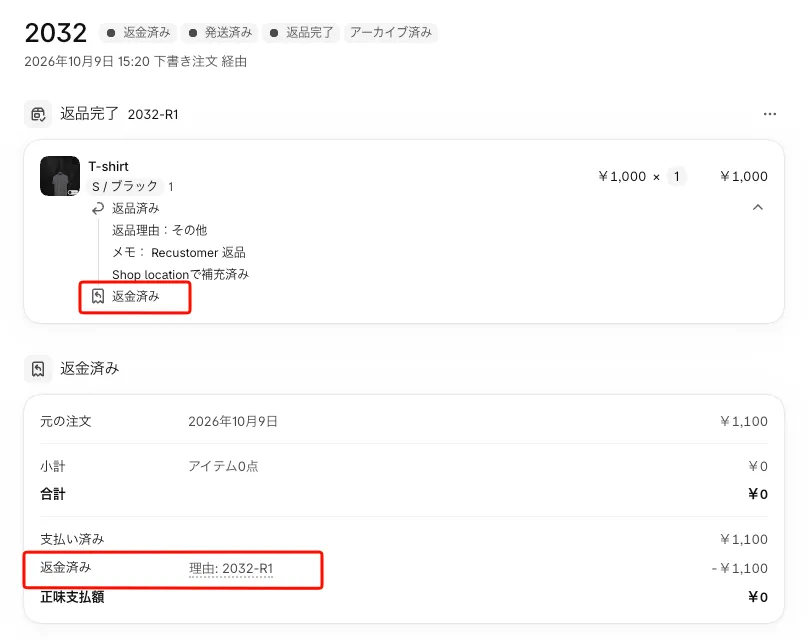
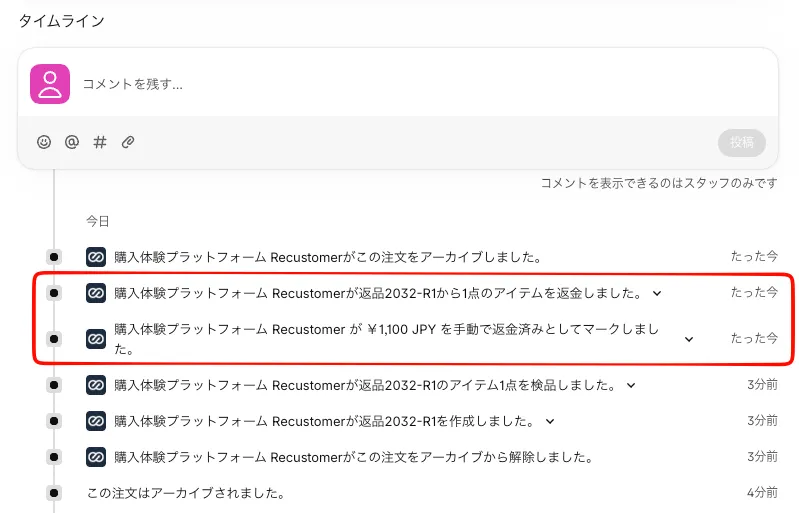
The Shopify order is updated to "Refunded" automatically. The refund is linked to the line items of the Shopify return and is also shown in the timeline.
© Recustomer, Inc.