SUPPORT
The exchange item (size or colour) changed after approval
You can pick a different exchange item (size or colour) from "Change resolution method" without a new request.
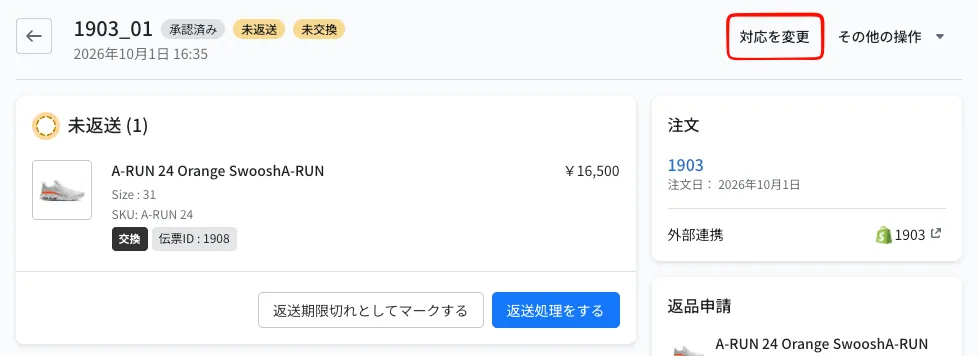
- On the return details page, click "Change resolution method" at the top right
- Enter the quantity of the item to change
- Select the new variant. If inventory lookup is set up, variants that are out of stock cannot be selected
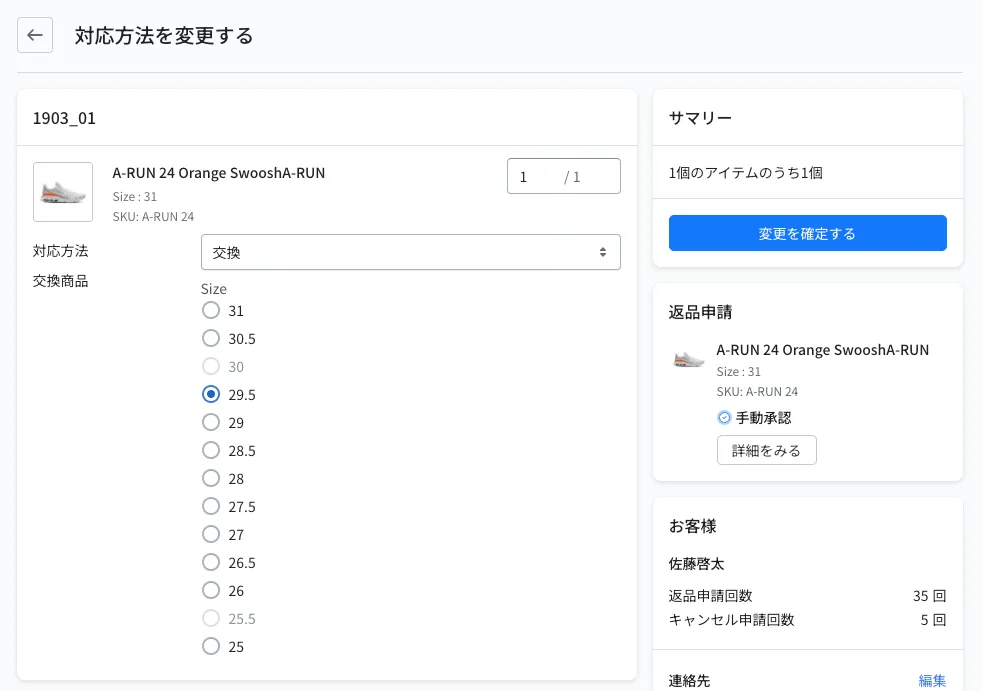
- Click "Confirm changes"
To change from exchange to refund, follow the same steps and select "Refund" as the resolution.
You can change an item only while its exchange is "Not exchanged" and before the exchange order has been created. When you change it after approval, the exchange order is not created automatically, so create the exchange order yourself.
© Recustomer, Inc.