SUPPORT
How do I create the Shopify order for the exchange item after changing the resolution to exchange?
The exchange order is created automatically only when the request is approved. If you switch an item to exchange with "Change resolution method" after approval, it is not created automatically, so create it as follows.
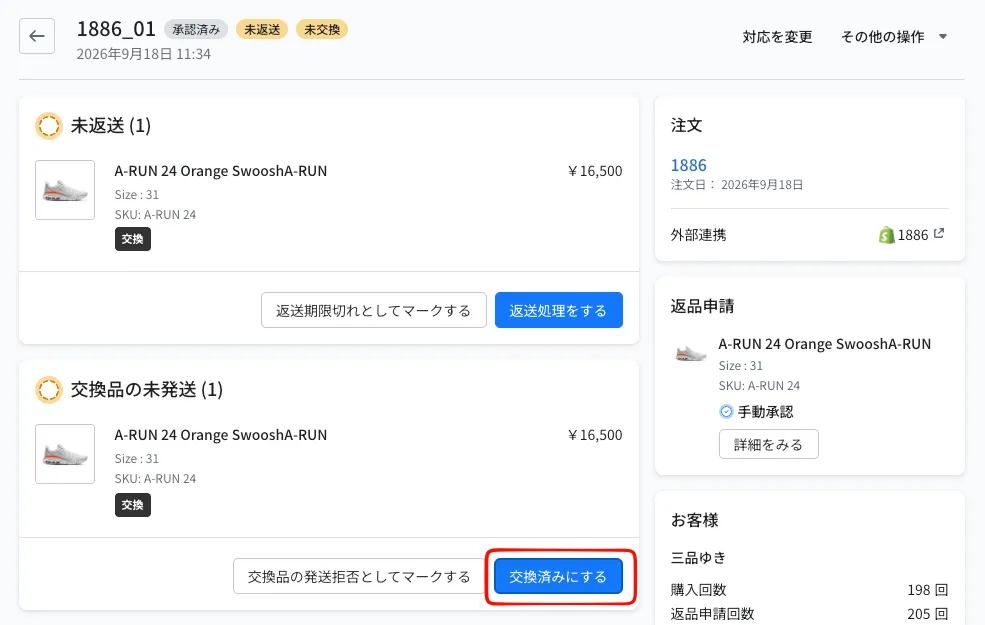
- On the return details page, click "Mark as exchanged" in the exchange items card
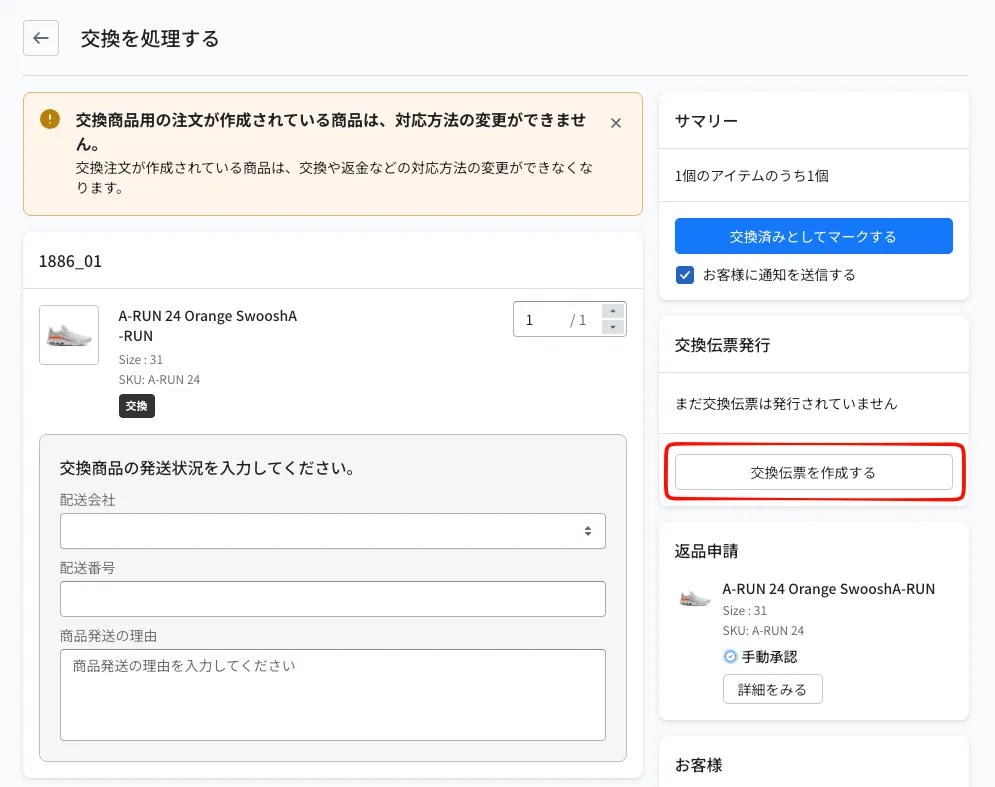
- On the Process exchange page, enter the quantity to exchange
- Click "Create exchange slip" in the "Exchange slip issuance" card
- In the window that opens, check the delivery address (pre-filled with the shipping address of the original order) and click "Create exchange slip"
Once the exchange order is created, the resolution of that item can no longer be changed.
© Recustomer, Inc.