Shopify integration
Go to Settings > External service integrations > Integrations > Shopify
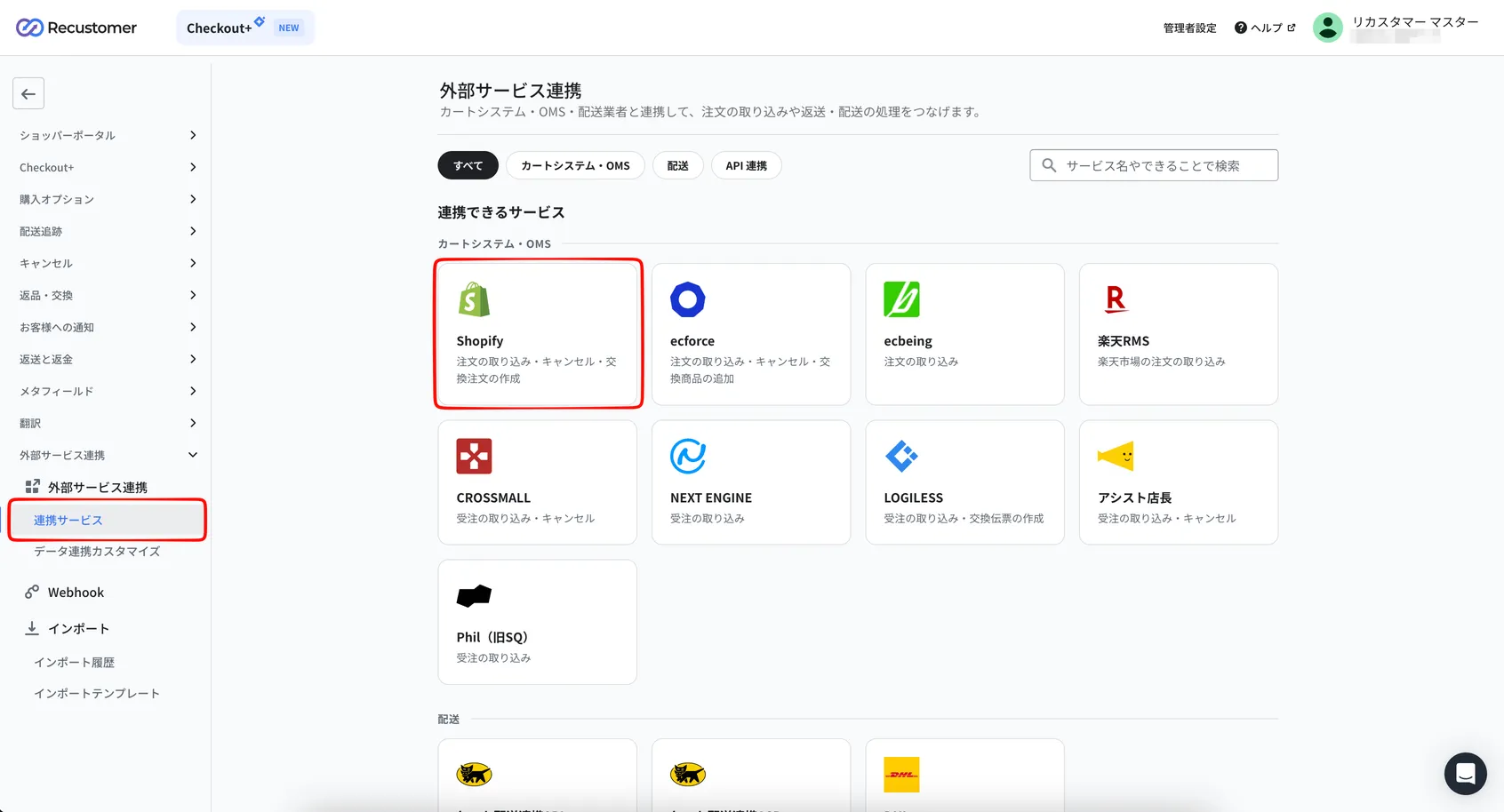
Enter your store name and click Save at the top right
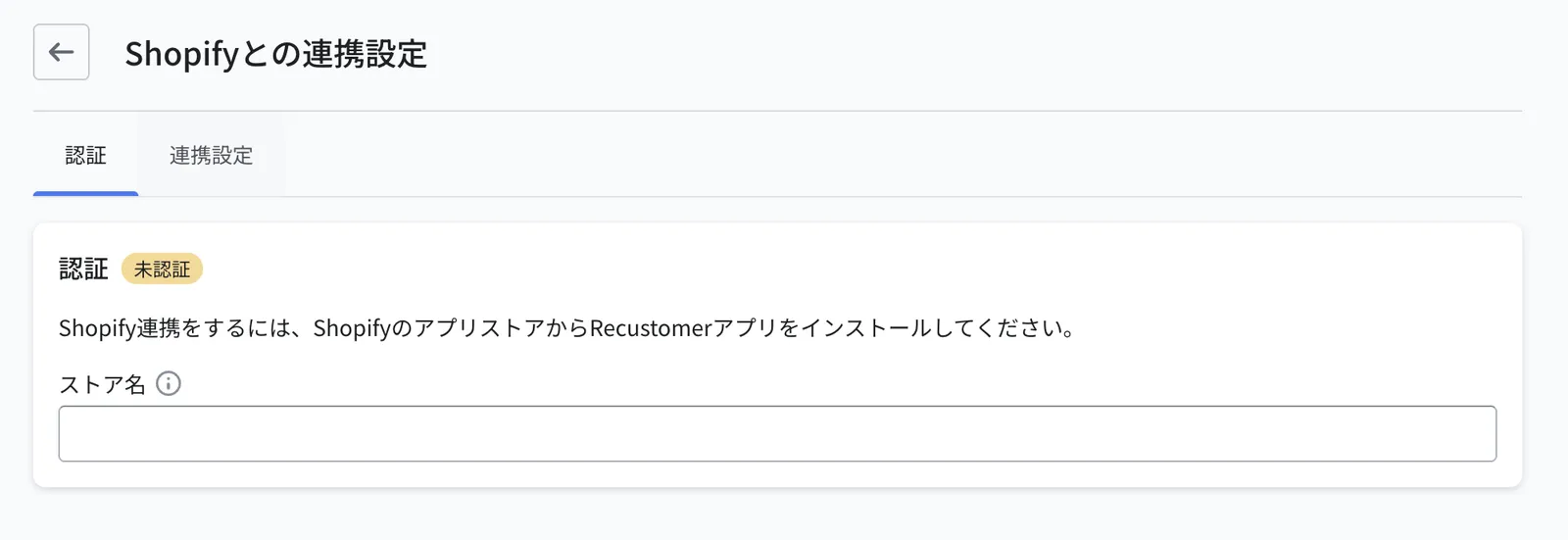
How to find your store name
For the store name, enter the value highlighted in red in the URL bar of your Shopify admin.
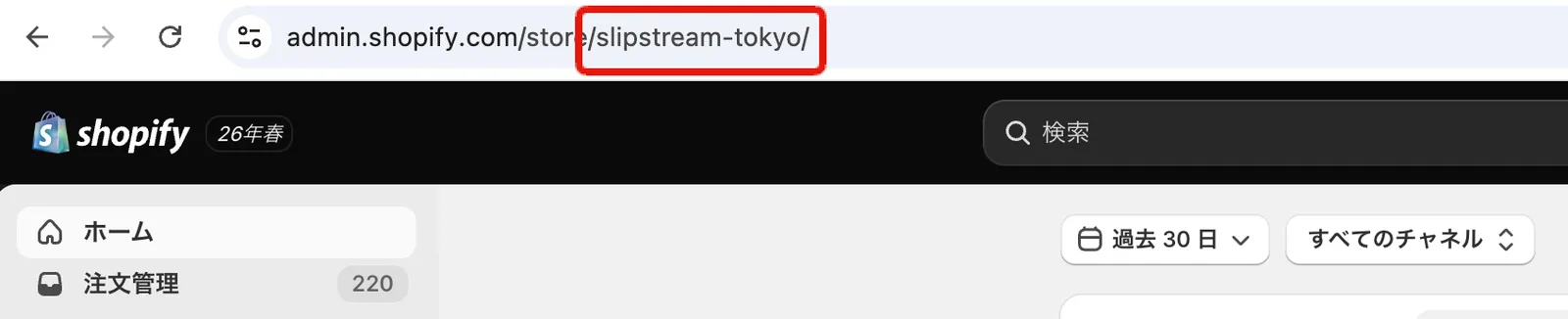
Example: if your Shopify admin URL is "https://admin.shopify.com/store/slipstream-tokyo", the store name is "slipstream-tokyo".
Sign in to your Shopify admin and install the Recustomer app from the following URL
After installing, in Shopify go to Settings > Apps > Recustomer > Open app
The Recustomer sign-in screen opens. Sign in to the store you configured in step 2.
Go back to Settings > External service integrations > Integrations. The setup is complete when Shopify shows the Connected status.

You can continue with the measurement pixel (optional)
If you want to collect shopping behaviour data on your Shopify storefront, set up the measurement pixel.
If you use Returns and Exchanges, continue with these
- Return status synchronisation: reflects returns processed in Recustomer on the Shopify order
- Stock lookup and reservation: sets up the stock lookup for replacements and the exchange slip that reserves it (if you accept exchanges)