Rakuten RMS integration
To import your Rakuten Ichiba orders into Recustomer, connect Rakuten RMS.
The license key must be renewed every 90 days
A Rakuten RMS license key is valid for 90 days. Once it expires, orders can no longer be imported from Rakuten. The Recustomer admin does not show the expiry date and you will not be notified when the key expires, so renew it before it expires by following "3. Renew the license key".
1. Register an app in Rakuten RMS
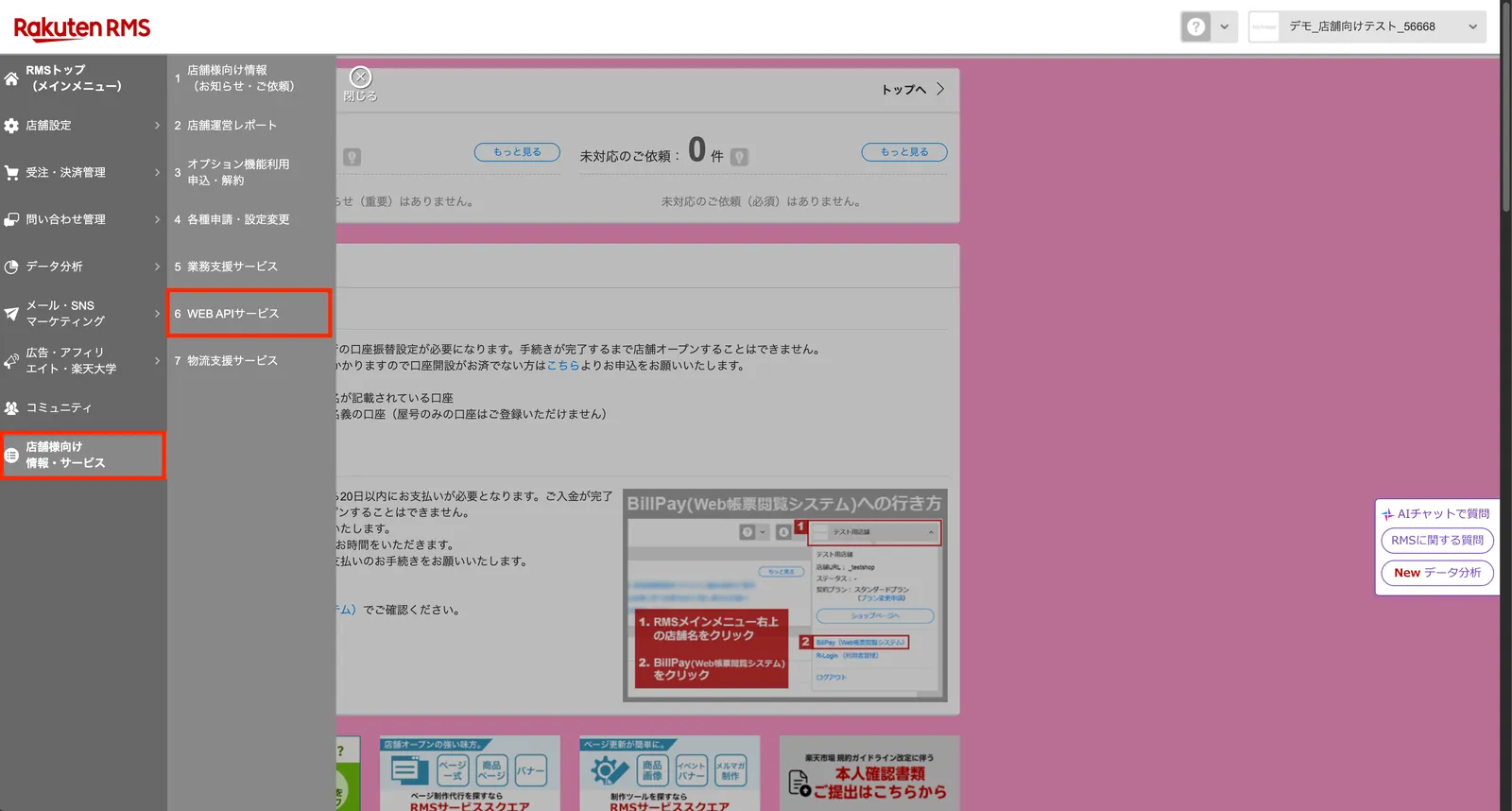
Sign in to Rakuten RMS and go to 店舗様向け情報・サービス (Information and services for stores) → 6 WEB API サービス (6 WEB API service)
Click 2-2 アプリ登録 (2-2 App registration) in the left menu and register an app
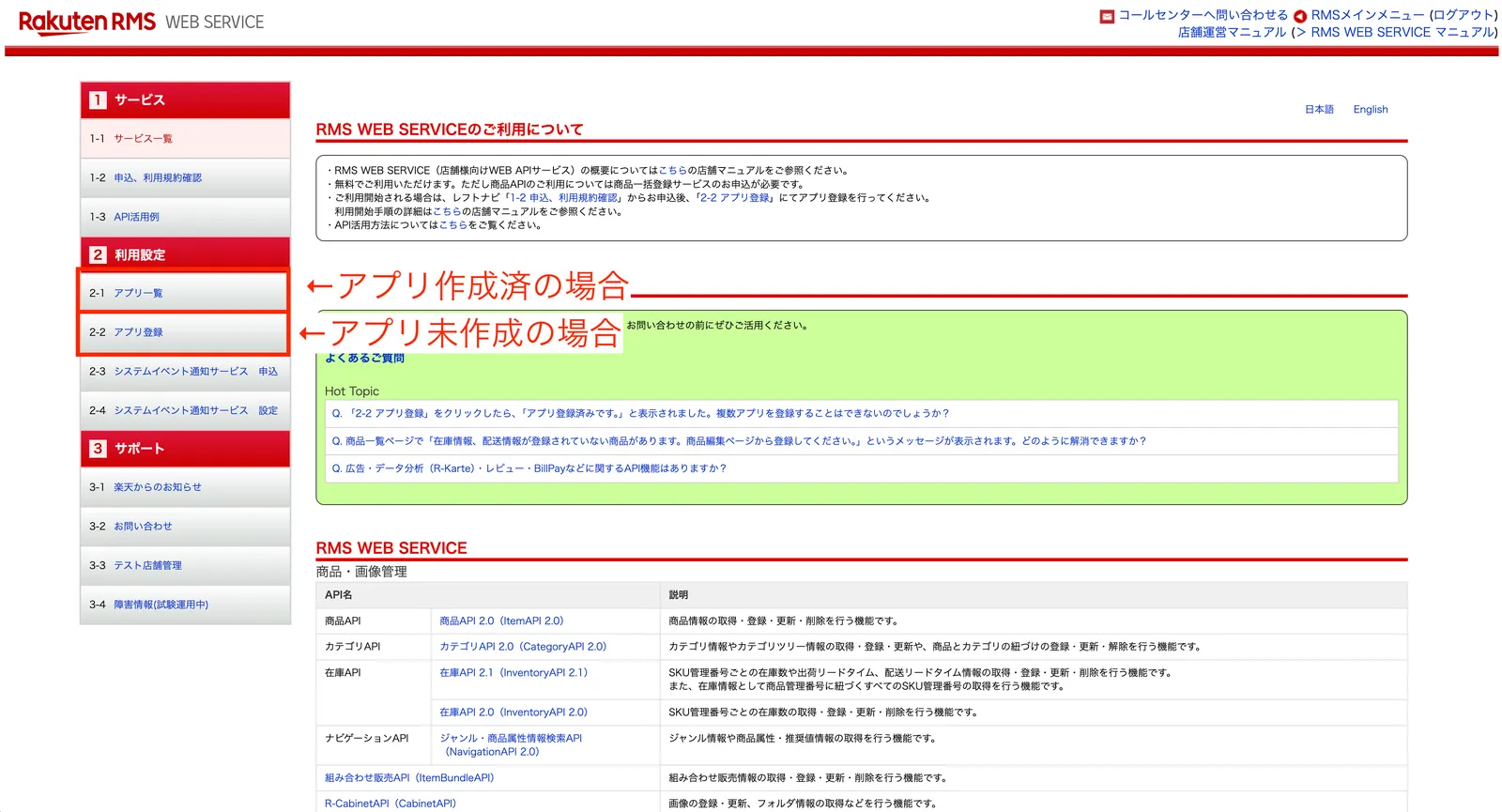
※If you have already registered an app, do not register a new one. Open the registered app from 2-1 アプリ一覧 (2-1 App list) and go to step 3
Click 利用機能編集 (Edit features in use) at the bottom of the app details screen
Check 利用する (Use) for the following features and save
API Feature Used in Recustomer to When required Rakuten Pay Order API (RakutenPay_OrderAPI) rpay.order.searchOrder Search for orders to import Required Rakuten Pay Order API (RakutenPay_OrderAPI) rpay.order.getOrder Get order details (buyer, ordered items, shipping address) Required Shop API (ShopAPI) shop.shopMaster.get Get the store URL (used to display product images) Required Item API 2.0 (ItemAPI 2.0) itemapi_2.0.items.search Get product names, product images, and variations (SKUs) Required Rakuten Pay Order API (RakutenPay_OrderAPI) rpay.order.cancelOrder Apply cancellation requests to Rakuten orders When you use Cancellation Inventory API 2.1 (InventoryAPI 2.1) inventories.bulk.get_2.1 Look up stock for exchange items in bulk When you use Exchanges Inventory API 2.1 (InventoryAPI 2.1) inventories.variants.get_2.1 Look up stock for the exchange SKU When you use Exchanges Inventory API 2.1 (InventoryAPI 2.1) inventories.variants.upsert_2.1 Allocate stock for the exchange SKU When you use Exchanges ※If you start using Cancellation or Exchanges later, add the relevant features at that time. Adding or removing features issues a new license key, so you need to redo the authentication in step 2 with the new license key
Click ライセンスキーの確認・変更 (Check / change license key), enter the characters shown, and click 確認する (Confirm)
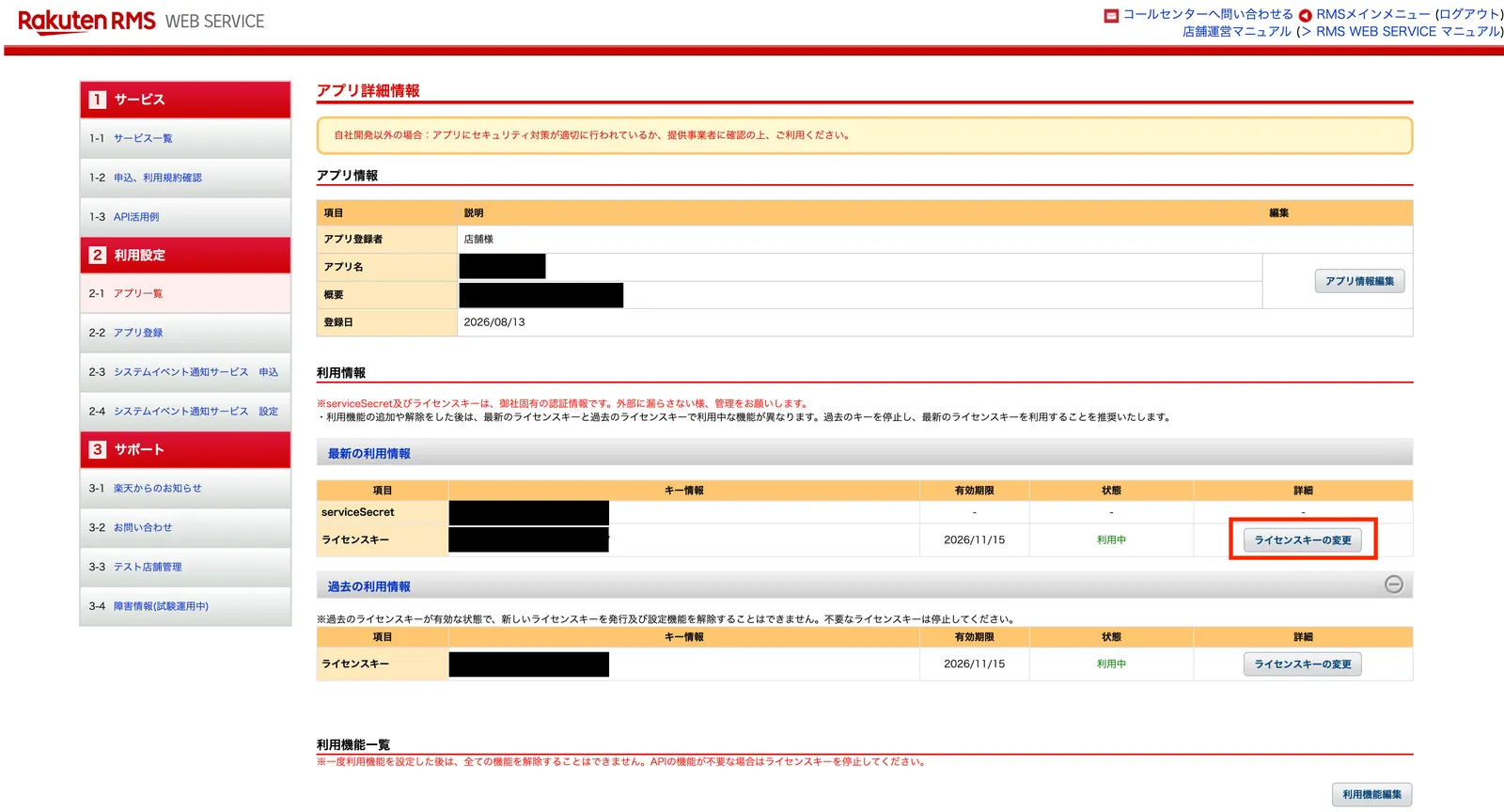
Note down the serviceSecret and license key shown under 最新の利用情報 (Latest usage information)
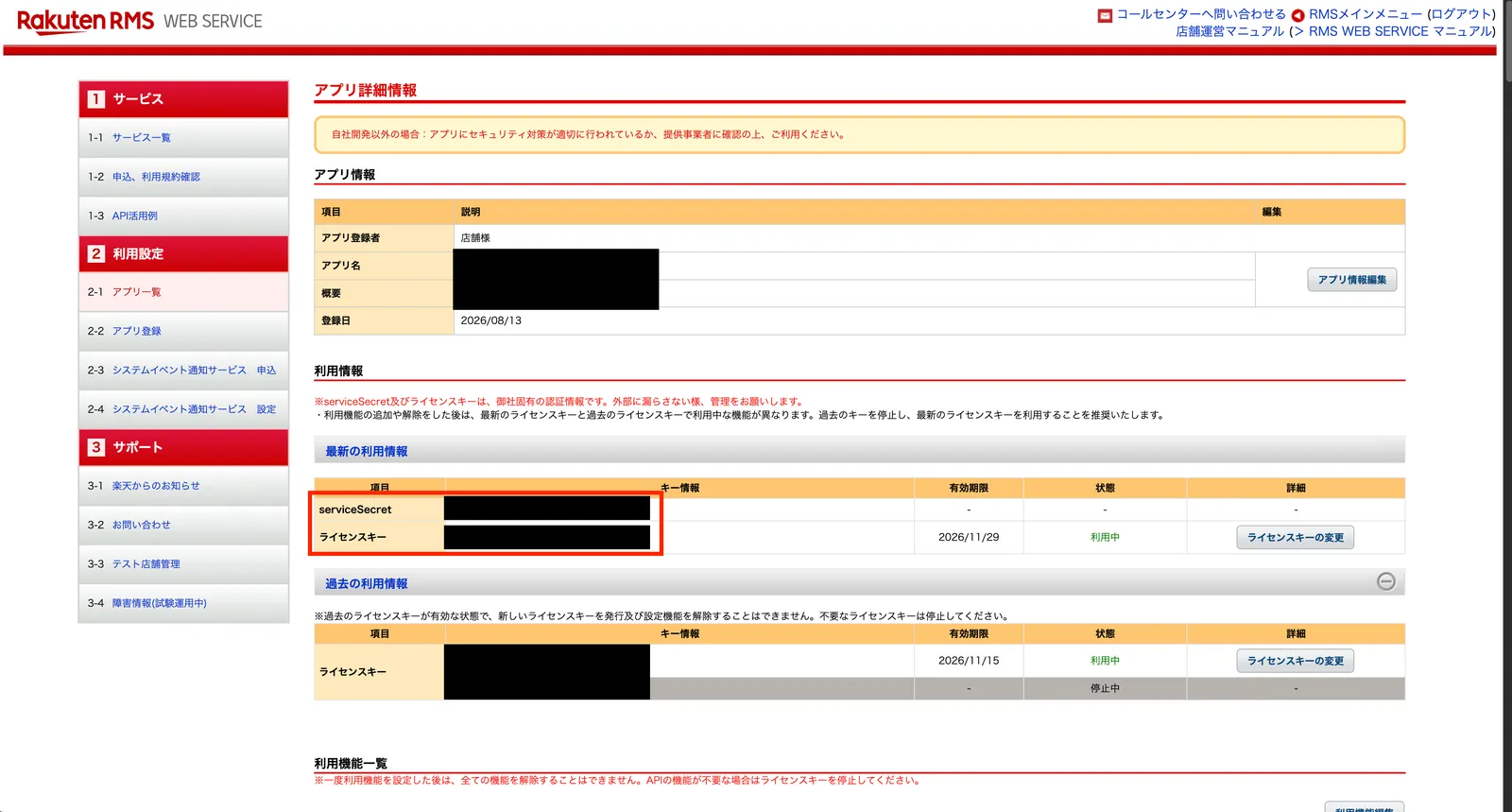
※Also noting down the 有効期限 (expiry date) shown to the right of the license key makes it easier to keep track of when to renew
2. Authenticate in Recustomer
Go to Settings > External service integrations > Integrations > Rakuten RMS
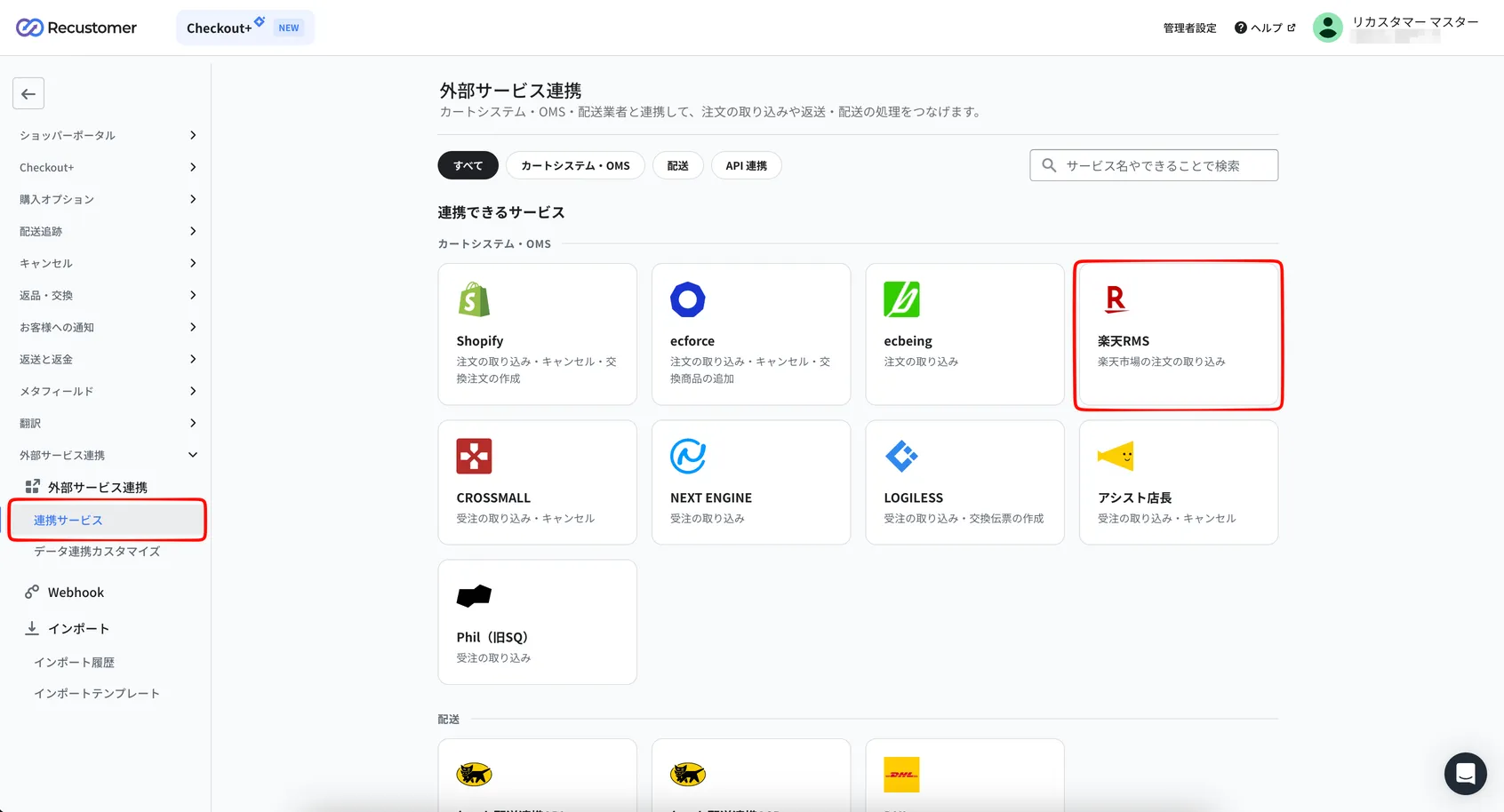
Enter the values you noted down in step 1, then click Authenticate
Field Value to enter serviceSecret The serviceSecret you noted down in step 1-6 licenseKey The license key you noted down in step 1-6 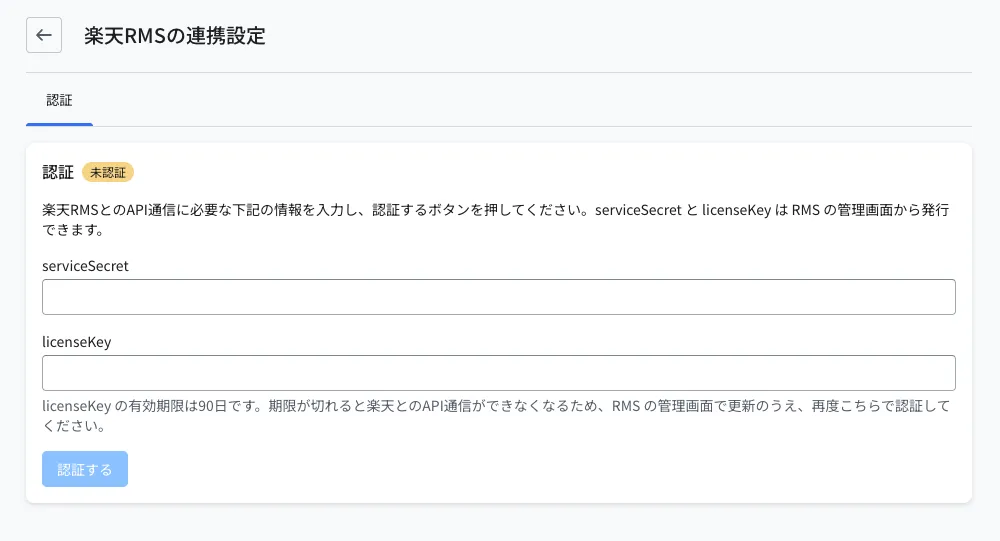
The setup succeeds when the status changes to Authenticated
In the data integration settings, set the order import source to "RAKUTEN_RMS"
About order import
New orders are imported every 30 minutes. The status of imported orders (shipped, cancelled, and so on) is updated every hour
Only orders received from about one hour before you connected onward are imported. Earlier orders are not imported
3. Renew the license key
Renew the license key with the following steps before it expires (after 90 days).
In Rakuten RMS, open the registered app from 店舗様向け情報・サービス (Information and services for stores) → 6 WEB API サービス (6 WEB API service) → 2-1 アプリ一覧 (2-1 App list)
Click ライセンスキーの変更 (Change license key) for the license key under 最新の利用情報 (Latest usage information)
Click 新しいライセンスキーを発行 (Issue a new license key)
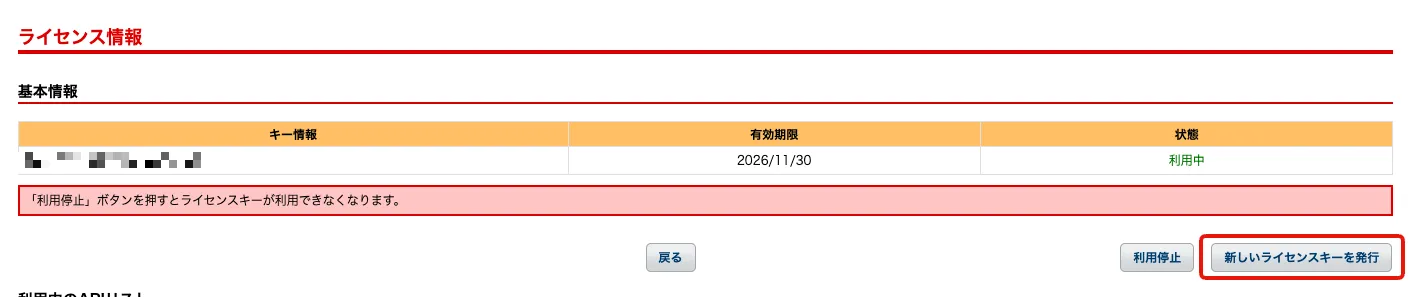
Note down the new license key shown under 最新の利用情報 (Latest usage information) on the app details screen
In Settings > External service integrations > Integrations > Rakuten RMS, change licenseKey to the new license key and click Authenticate
※The serviceSecret does not change. Enter the value you noted down in step 1 as is
Stop the old license key. Under 過去の利用情報 (Past usage information), click ライセンスキーの変更 (Change license key) for the old license key, then click 利用停止 (Stop using)
※If the old license key is left in use, you cannot issue a new license key at the next renewal. Always complete the authentication in Recustomer in step 5 before stopping it
4. Using Recustomer products with the Rakuten RMS integration
| Product | Behavior with the Rakuten RMS integration |
|---|---|
| Returns & Exchanges | Exchanges are only accepted for another variation (size, color, and so on) of the same product. When you approve an exchange, stock for the exchange SKU is allocated on Rakuten, but no exchange order is created on Rakuten. Please ship the exchange item yourself |
| Cancellation | When a cancellation is approved, the Rakuten order is cancelled (with the cancellation reason "customer's convenience"). Only whole orders that have not yet shipped can be cancelled. Whether stock is restored follows your Rakuten product settings |
| Refunds | Rakuten orders do not support automatic refunds. Set the refund method to "PSP screen" (refund in RMS) or "Bank transfer" (see How to find the payment method key) |