STEP 2-2
Invite users
Invite the people who may need to check delivery statuses — customer support staff, e-commerce operations staff, and so on — to the Recustomer admin dashboard.
Steps
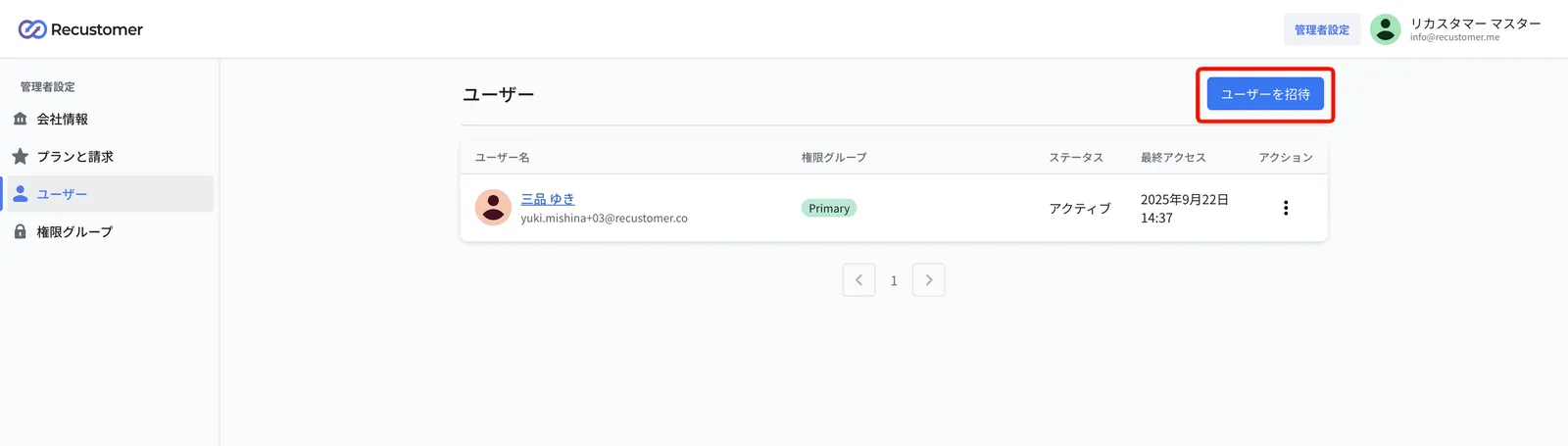
Go to Admin settings > Users from the top right of the admin dashboard
Click Invite user
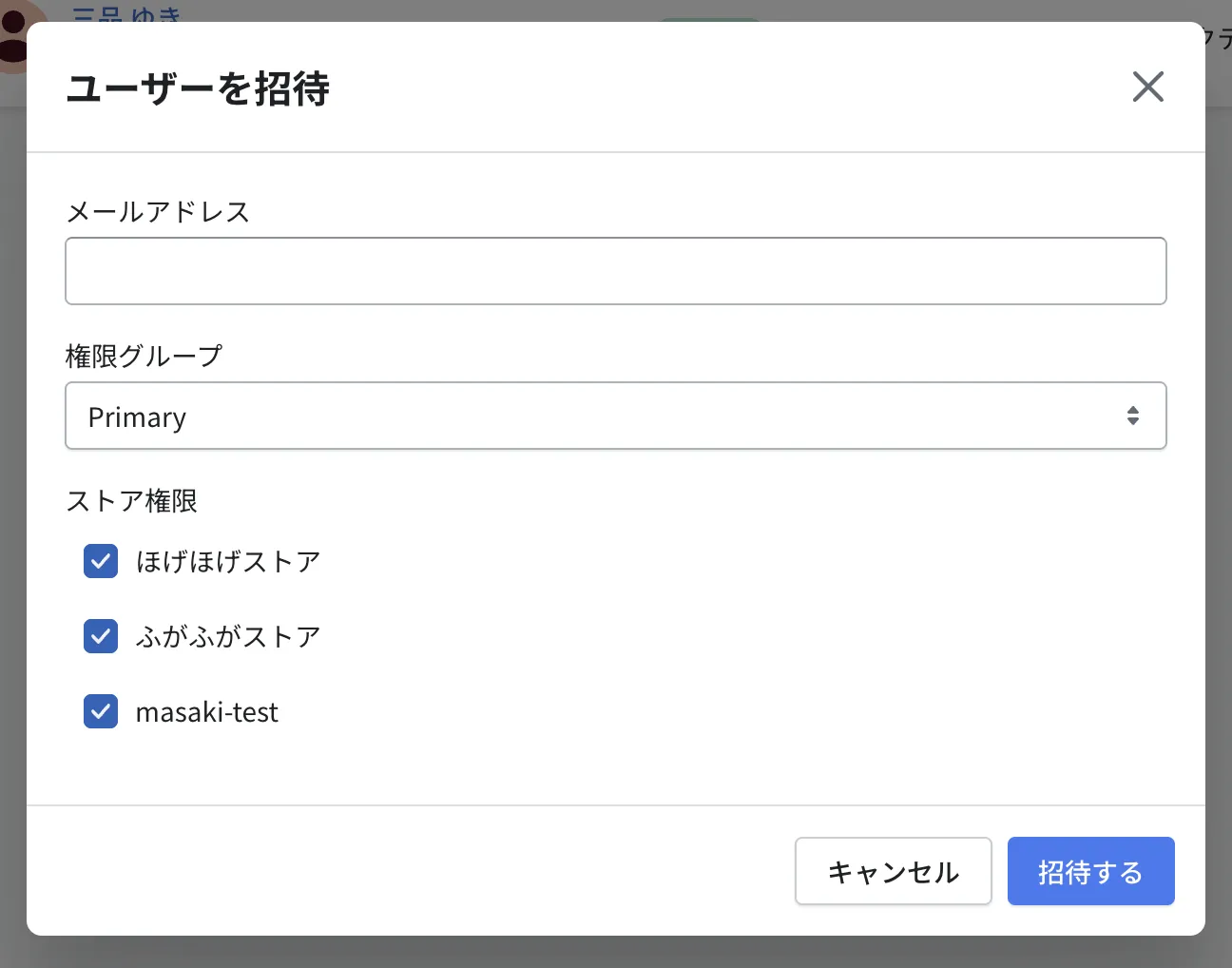
Enter the user's email address, choose a permission group and store permissions, then click Invite
The user receives an invitation email titled "Recustomer account invitation". Ask them to sign in and set a password from the link in that email.
© Recustomer, Inc.