Rakuten mail server registration
Required if you handle Rakuten Ichiba orders
Rakuten buyers' email addresses are passed on as masked addresses of the Rakuten Anshin Mail Address Service (
@〜.fw.rakuten.ne.jp). Only emails sent through the store's mail server are forwarded from a masked address to the buyer, so if you operate without registering the mail server, notification emails from Recustomer will not reach buyers.
1. Open the mail server settings
Open Settings > External service integrations > Data integration settings and select the Mail server tab.
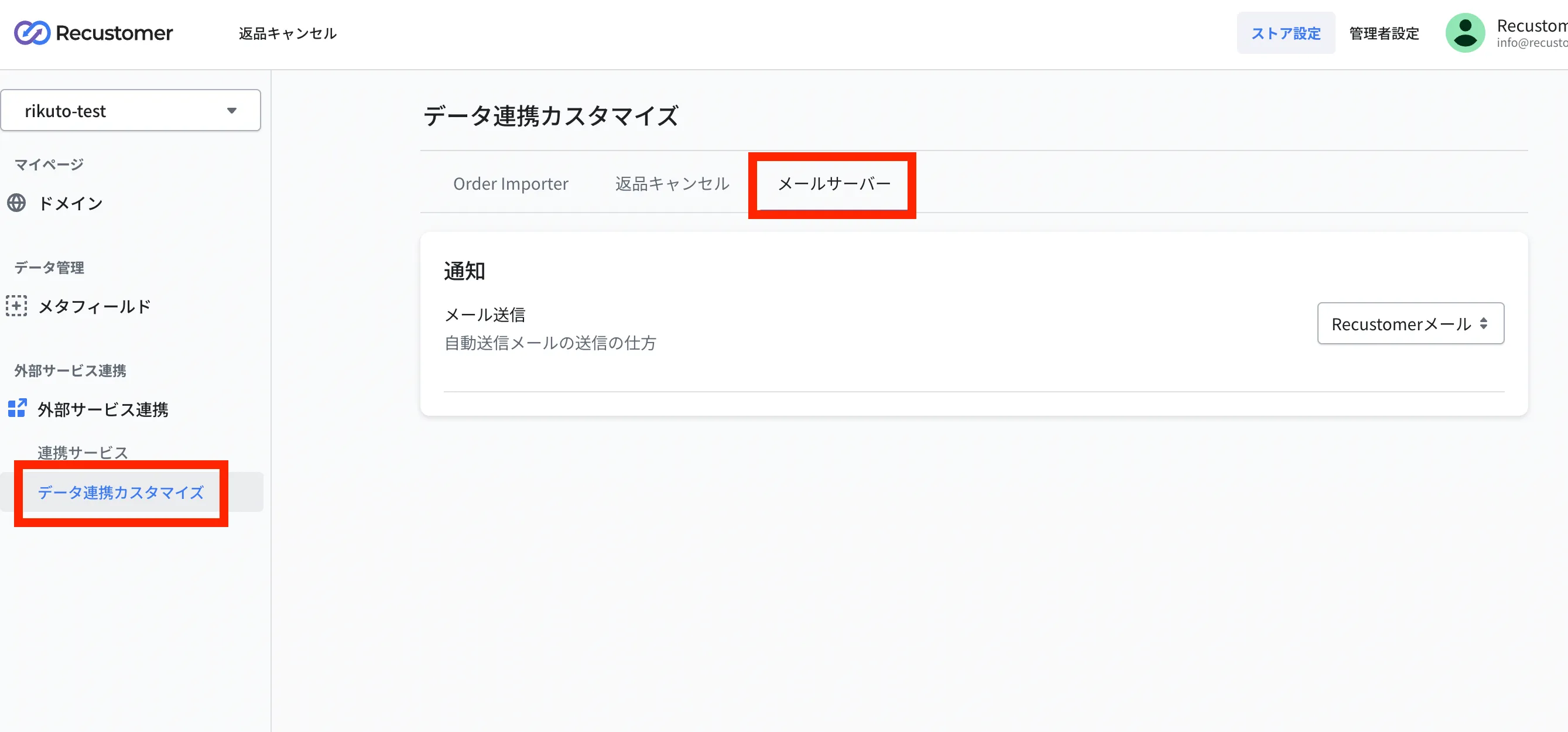
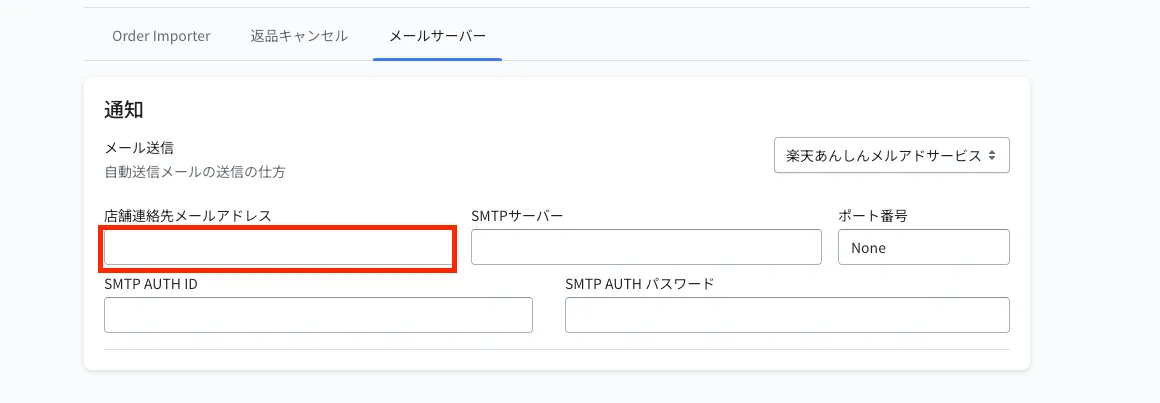
Email delivery is set to Recustomer email by default. Change it to Rakuten Anshin Mail Address Service to show the input fields.
2. Check the Rakuten mail server details
Sign in to R-Login and open あんしんメルアドサービスメニュー (Anshin Mail Address Service menu).
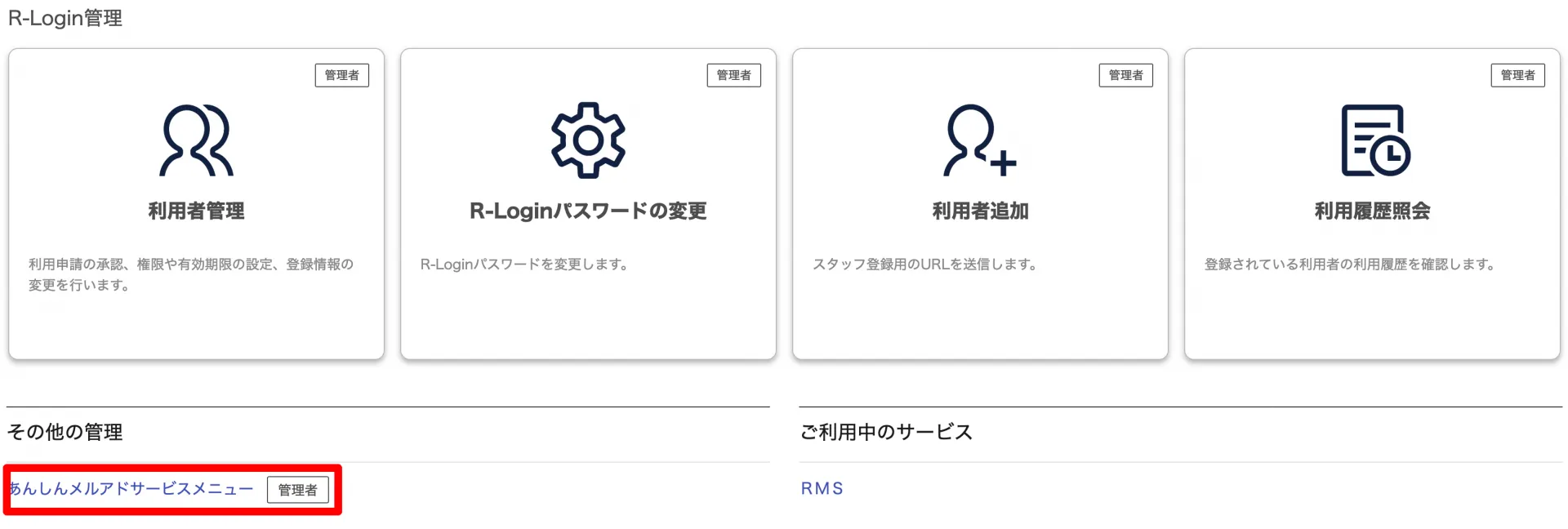
In the menu, note down the following four items. You will enter them in Recustomer in step 4.
SMTP サーバー (SMTP server)
ポート番号 (Port number)
SMTP AUTH ID
SMTP AUTH パスワード (SMTP AUTH password)
3. Check the store contact email address
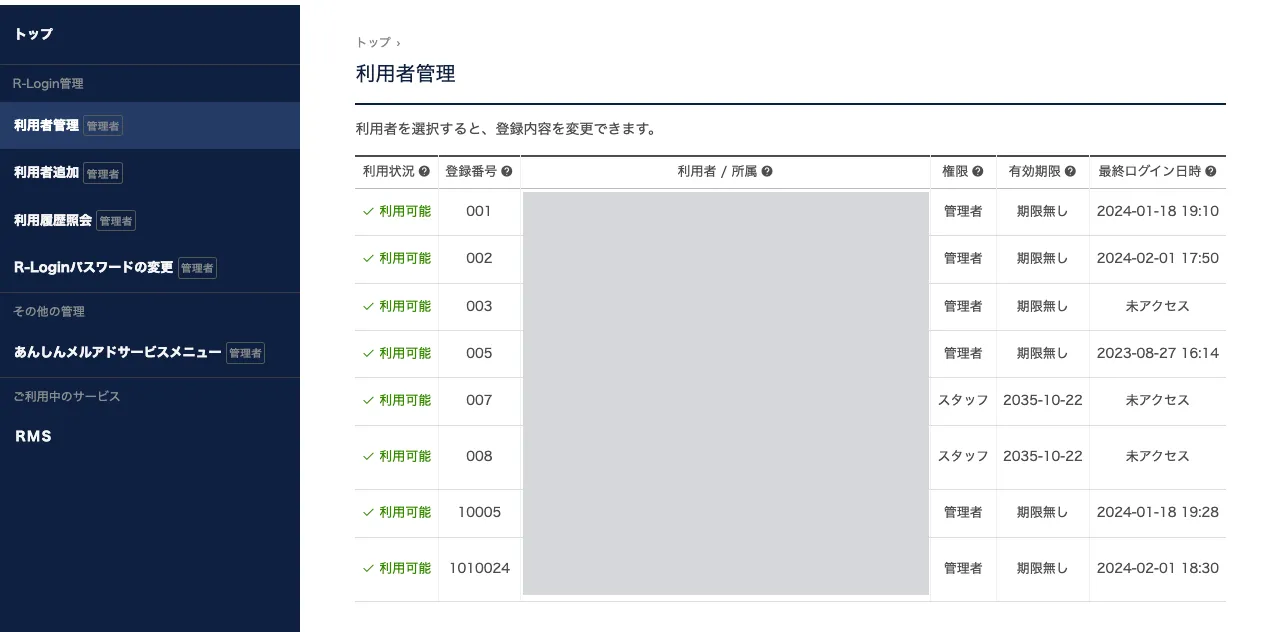
You can only register an email address in Recustomer if it is registered in both the R-Login user management and the Rakuten RMS store / company details. Open the following two places and check that the same address is registered in both.
R-Login user management
Open 利用者管理 (User management) in R-Login and check the registered users.
Rakuten RMS store / company details
In Rakuten RMS, open 店舗設定 (Store settings) → 6 基本情報設定 (6 Basic information settings).
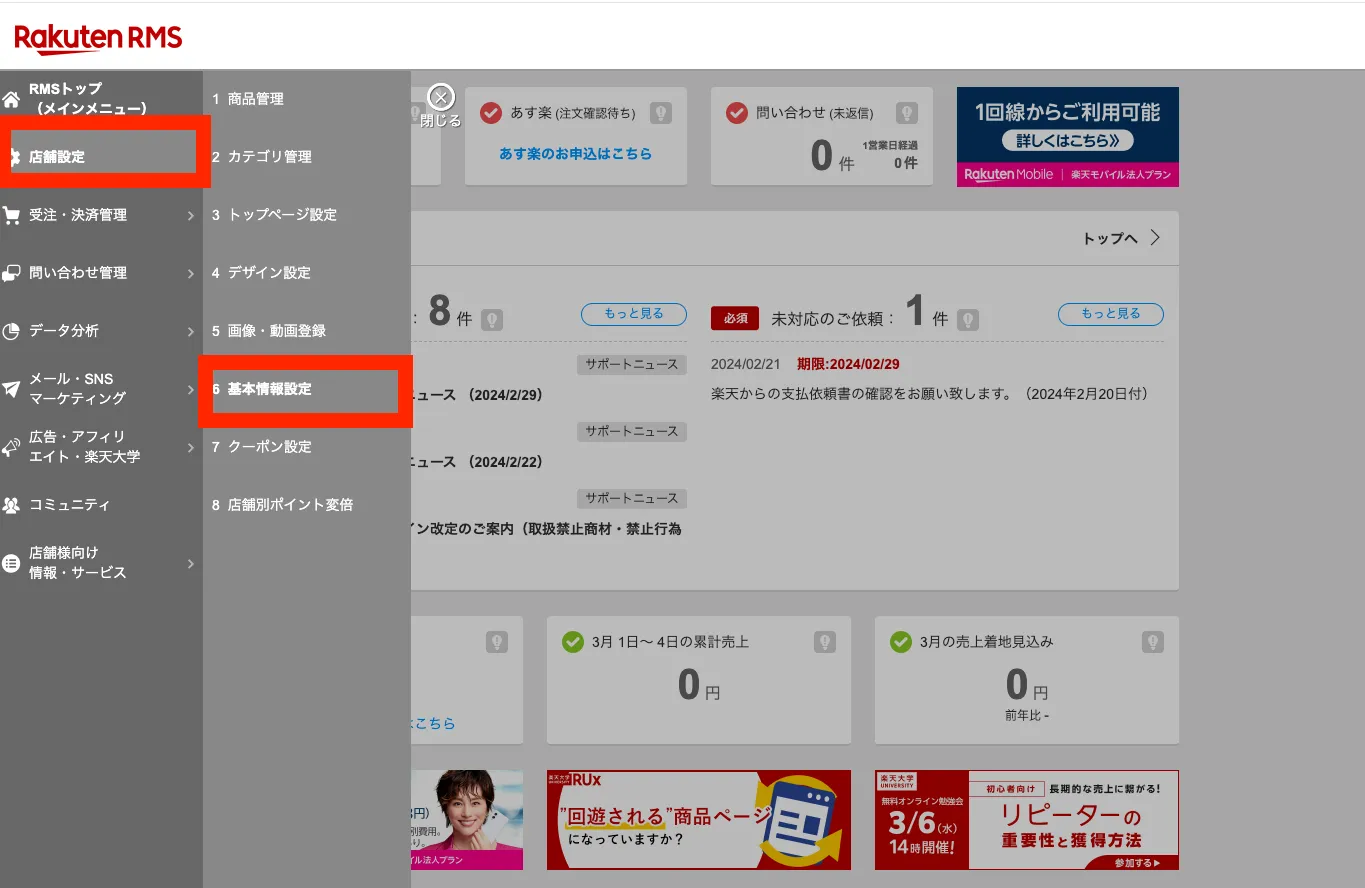
Open 店舗・企業詳細情報 (Store / company details) under その他設定 (Other settings).
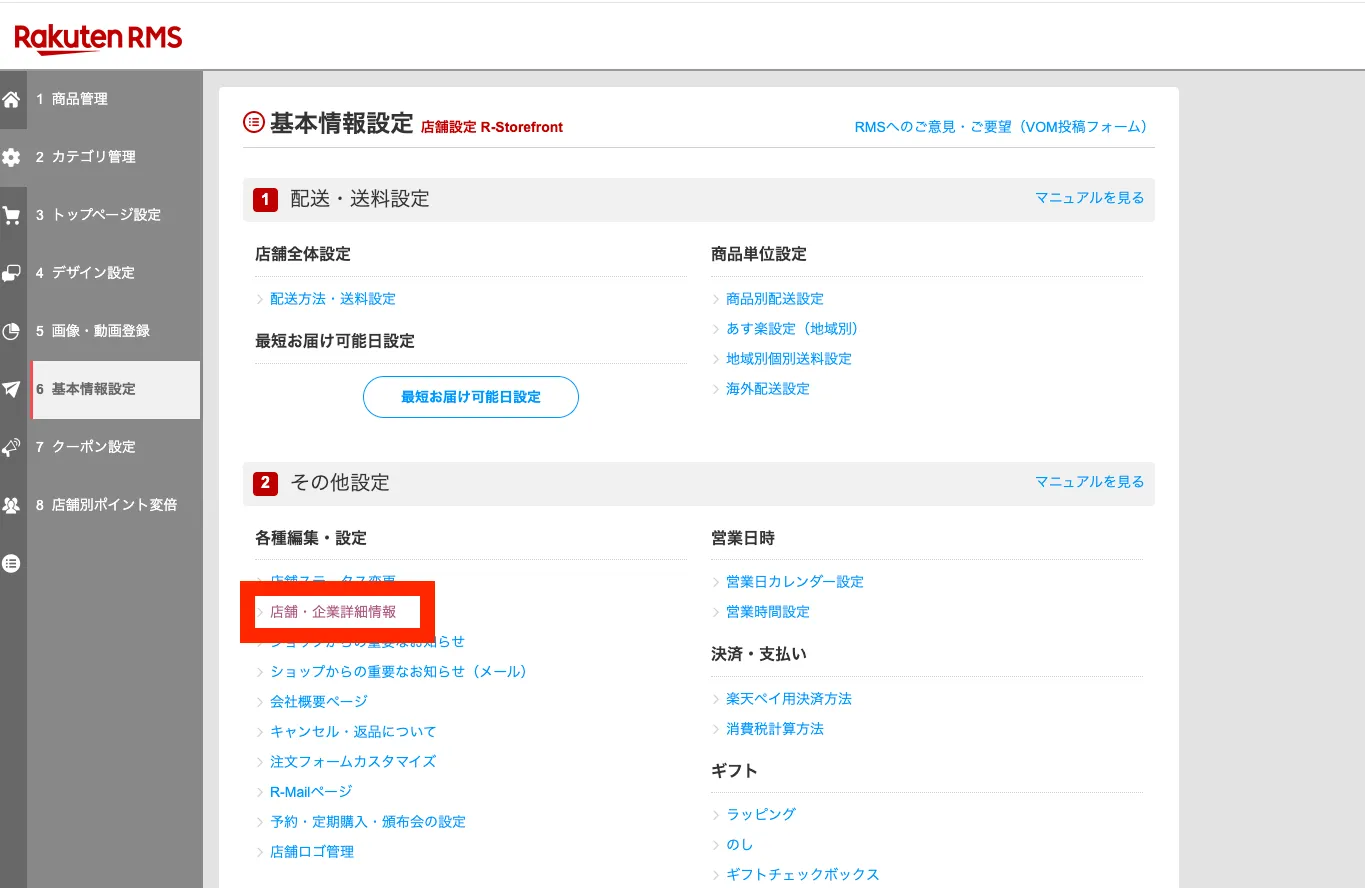
Note down the value registered as 店舗連絡先メールアドレス (Store contact email address) under メールアドレス (Email address). This is the email address you will enter in step 4.
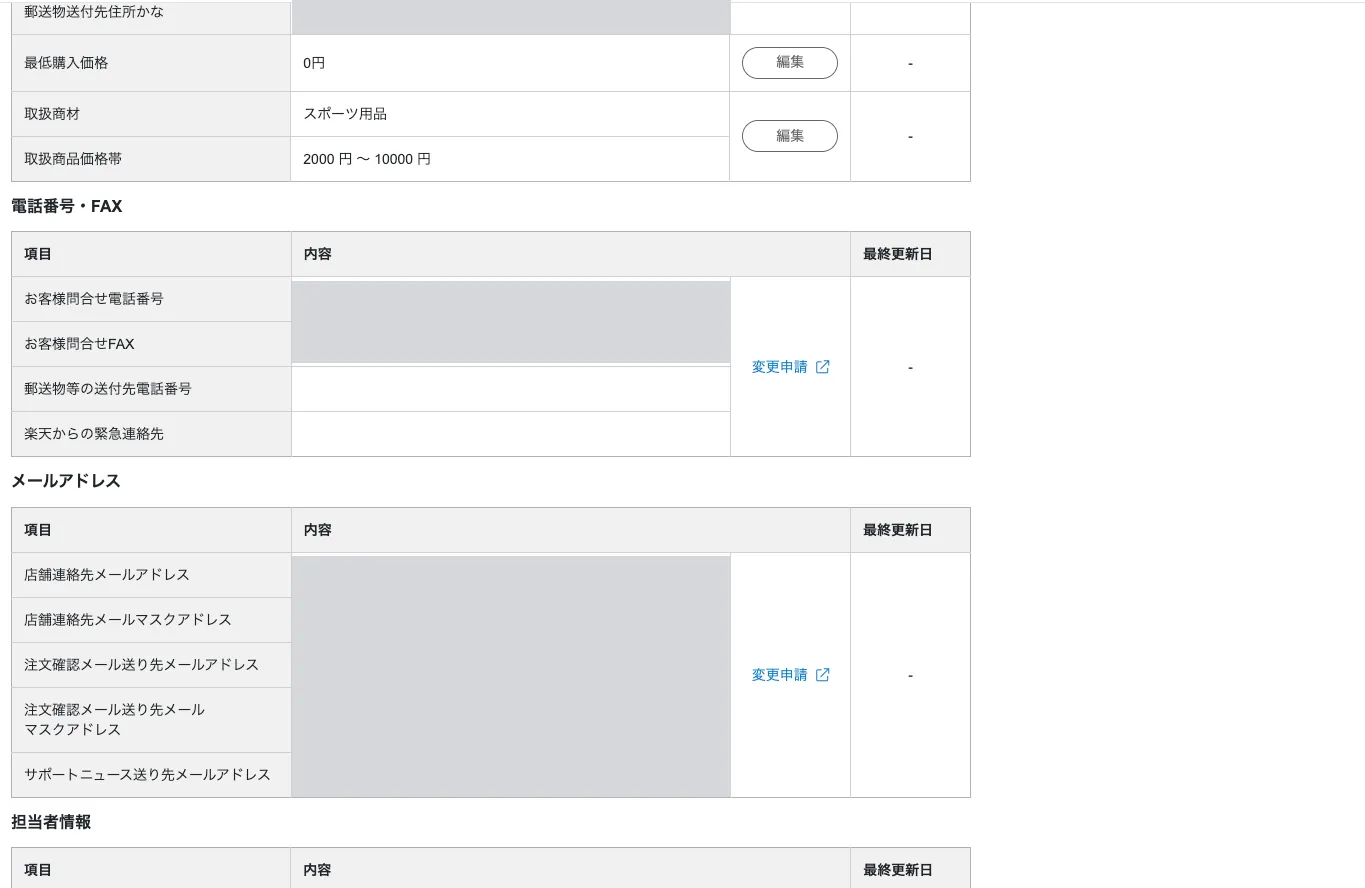
※If the address is registered in only one of the two places, register it in the other one before going to step 4.
4. Enter the details in Recustomer
Enter what you noted down in steps 2 and 3 on the screen from step 1, then click Save at the top right.
| Field | What to enter |
|---|---|
| Store contact email address | The store contact email address you noted down in step 3 |
| SMTP server | The SMTP server you noted down in step 2 |
| Port number | The port number you noted down in step 2 |
| SMTP AUTH ID | The ID you noted down in step 2 |
| SMTP AUTH password | The password you noted down in step 2 |
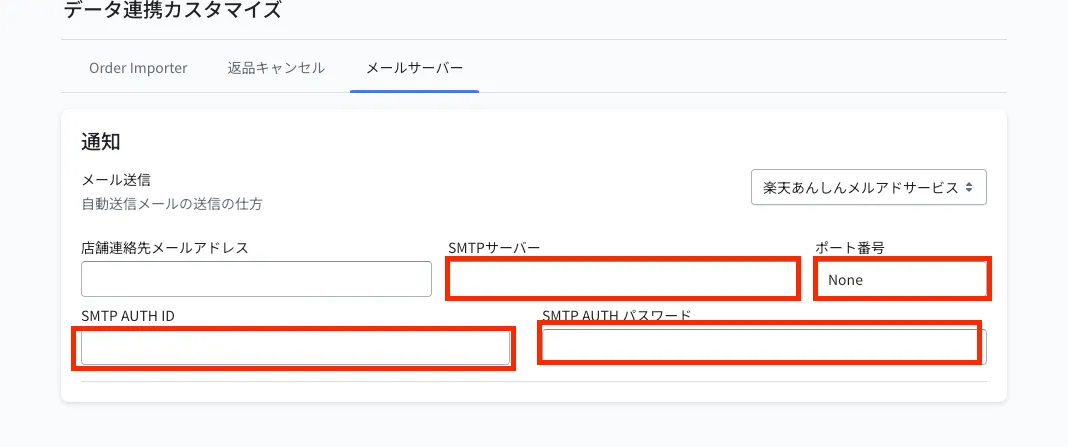
※If even one of the five fields is empty, notification emails cannot be sent.