Rakuten external link application
Required if you handle Rakuten Ichiba orders
This is required if you accept returns, exchanges, or cancellations for Rakuten orders. It is not required if you do not use Rakuten.
To accept cancellations for Rakuten orders in Recustomer, you need to submit an external link application in Rakuten (RMS). The application usually takes about a week to be approved.
1. Check before applying
For an external link application to be approved, there are conditions such as having no links to destinations other than Rakuten (for example, your own online store or other marketplaces). Check the following settings before applying.
| Category | What to set |
|---|---|
| Request page | In Settings > Return and cancellation requests, set the order lookup authentication method to "Order number and name" |
| Request page | In Settings > Return and cancellation requests, if the consent checkbox is shown and its label text contains a link, change the link to your Rakuten store |
| Request page | In Settings > Return and cancellation requests, add the text below to the top of the notes field at the bottom of the order lookup screen■このフォームに入力された情報は、楽天グループ株式会社ではなく、当店が管理しています。 ■このフォームに入力された情報に関するお問い合わせは直接当店にお願いいたします。楽天グループ株式会社では対応できません。 ■このフォームで入力された情報につきましては、当店は、返品及びキャンセル受付の目的でのみ利用します。※If you only use Cancellation, you may remove 「返品及び」 from the text |
| Language editor | In Settings > Shopper portal > Customise > Language editor, change the "Back to store" link URLs for "Return request" and "Cancellation request" to your Rakuten store |
| Language editor | In Settings > Shopper portal > Customise > Language editor, change the "Back to store" and "Contact button" link URLs for "Customer support" to your Rakuten store |
2. Create a test order
During the review, the reviewer walks through the shopper's cancellation flow using test order data. Create a test order in the OMS or cart system you have connected, and note down the order number and name.
3. Open the external link application page in RMS
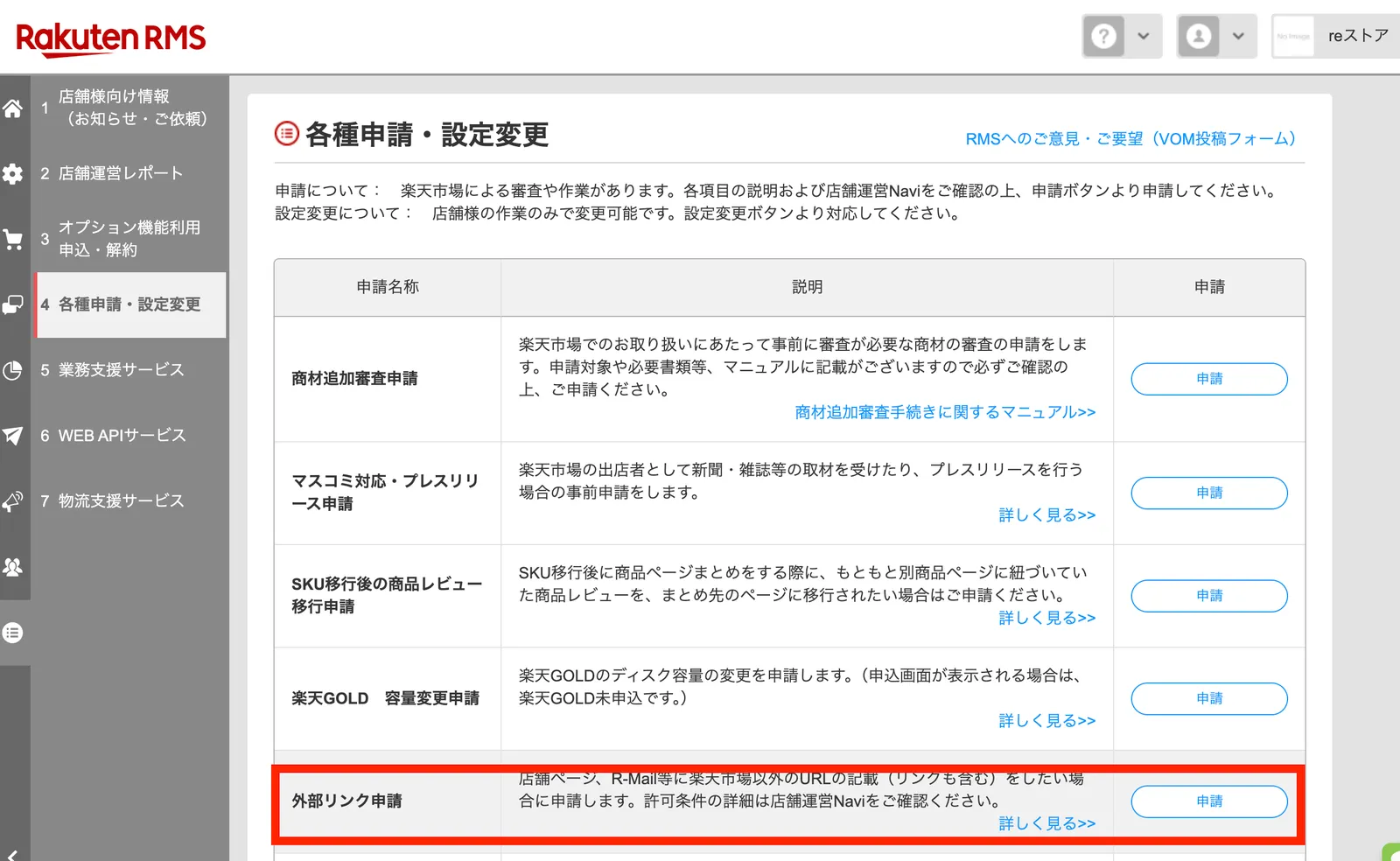
Sign in to Rakuten RMS and select External link application.
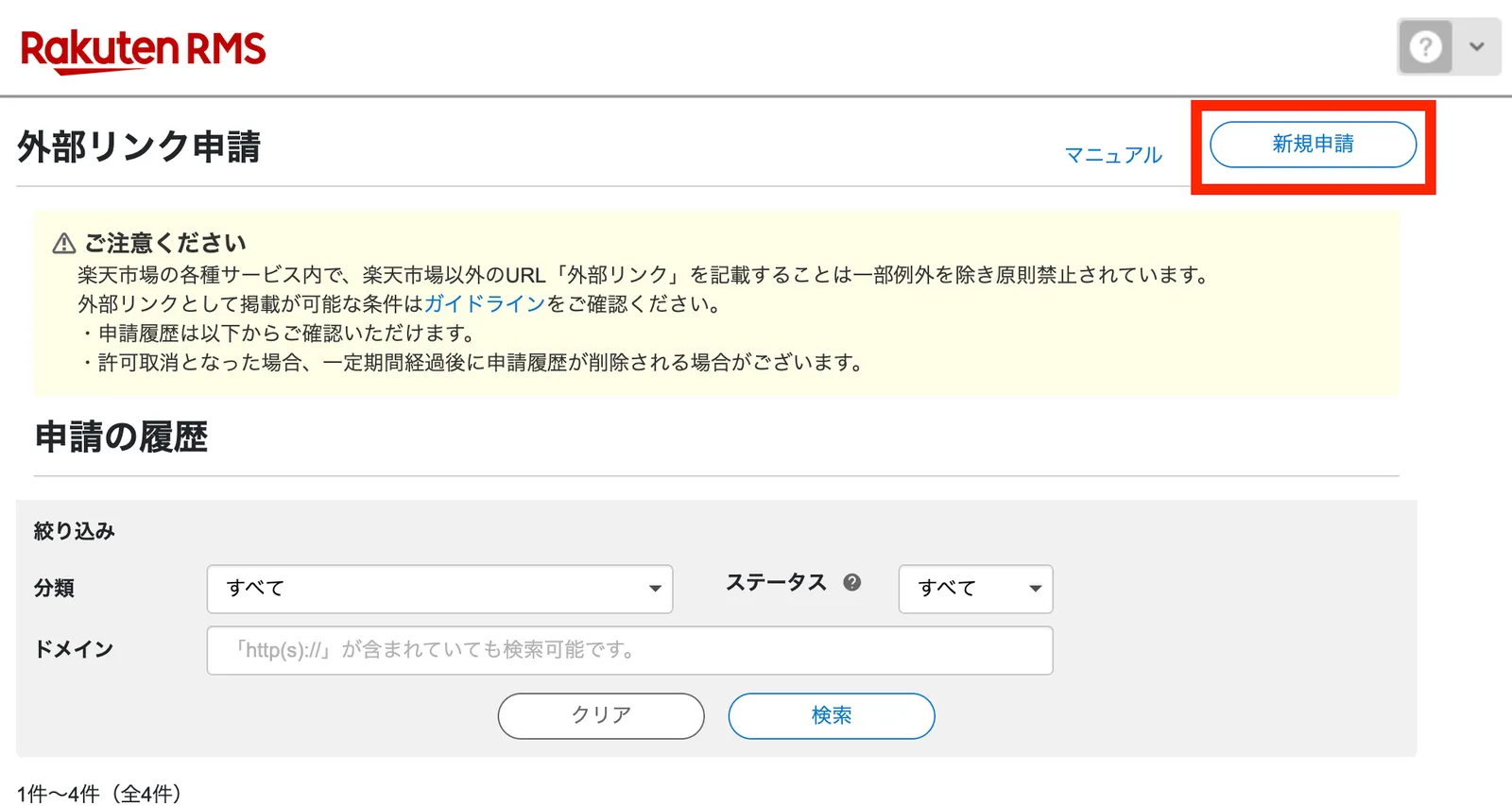
Click New application.
4. Fill in the application
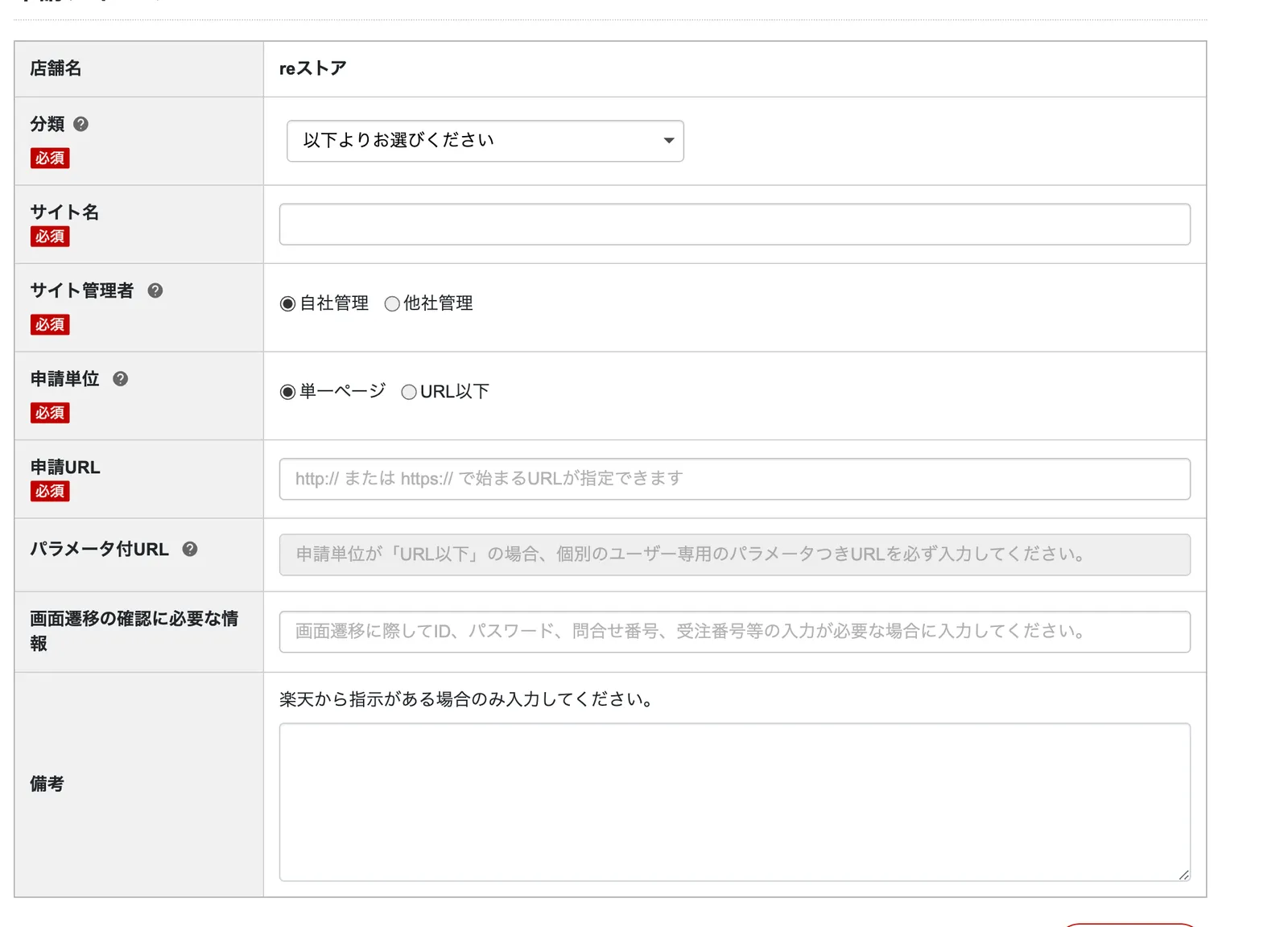
| Field | What to enter |
|---|---|
| Category | Something that exchanges information with the user after purchase |
| Site name | Recustomer Returns / Cancellation (any name is fine) |
| Site administrator | Managed by another company |
| Application scope | Single page |
| Application URL | The URL of your cancellation request page |
| Information needed to verify the flow | The order number and name of the test order you created in step 2 (for example, order number: tests0010, name: Test Taro) |