Notification email settings
The following settings are available for the notification emails sent to shoppers who purchased Checkout+.
1. Editing the template
Go to Settings > Customer notifications > Template > Checkout+
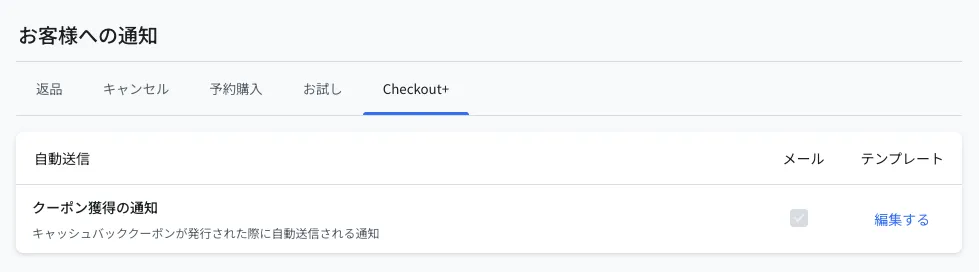
Click Edit on "Cashback coupon issued" to preview and edit the email content
※The email checkbox is always on (it cannot be turned off)※The logo image in the email header uses the brand logo set in Settings > Shopper portal > Customization > Branding※For the variables available in the notification email, see Email template variables
2. About the sender email address
The cashback coupon notification is sent from info@rcmr.me with your store name as the sender name. The "Email sender" setting available for return and cancellation notifications does not apply to this notification.
※If a shopper replies to this email, the reply does not reach your store. We recommend including your contact information in the email body